Free template
Price increase letter: three templates clients take well
To tell clients about a price increase, give 30 to 90 days notice, put the new price and the start date in the first paragraph, and keep one honest reason. Three letters: retainer uplift, hourly rate rise, rate card refresh.
Nobody enjoys sending these. But a short letter with a date on it goes down far better than a surprise on the next invoice.
Just as important is who gets one. Check the margin per project first, and raise prices where the margin says so.
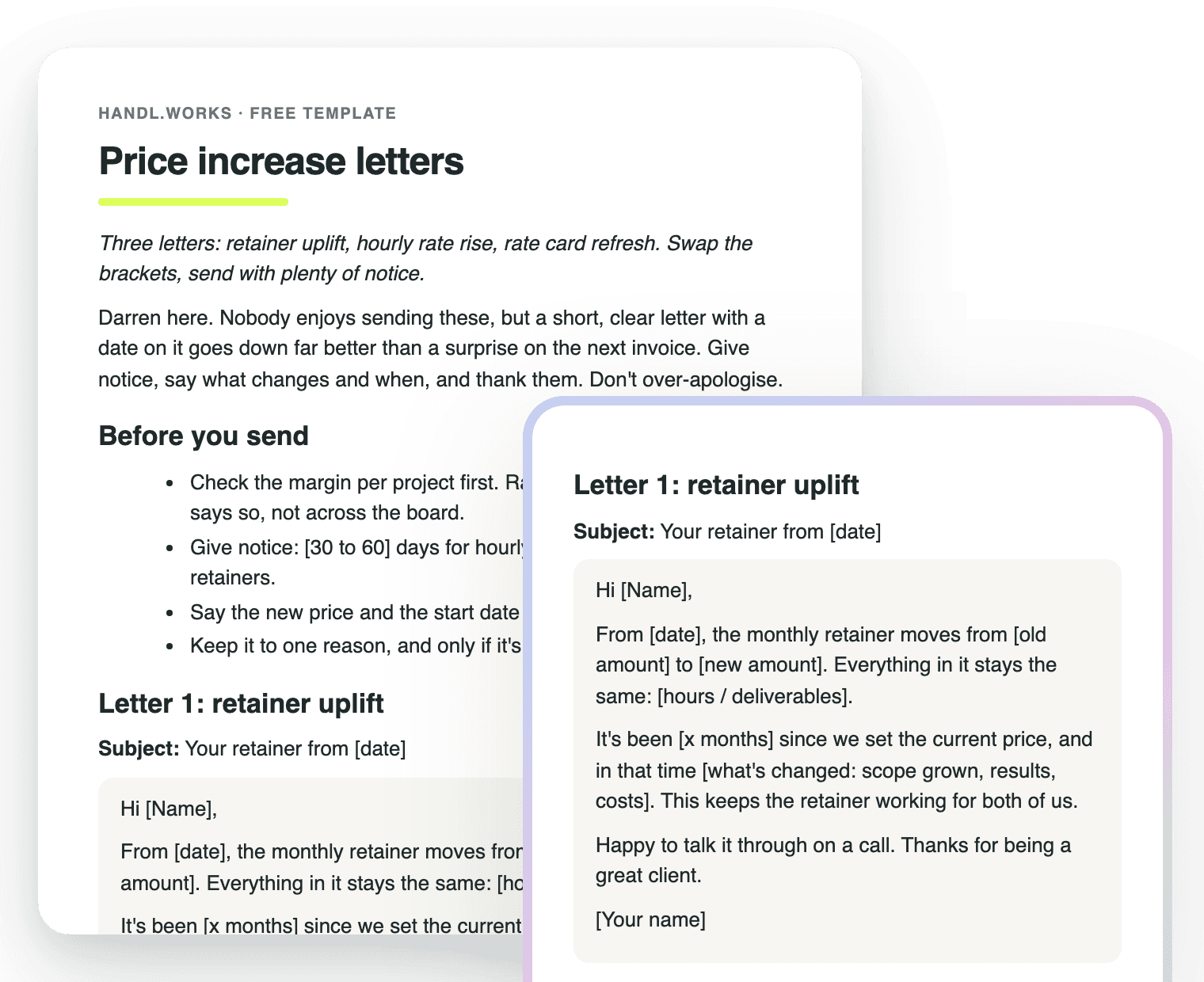
What’s inside
Letter 1: retainer uplift
A new monthly amount from a set date, with everything in the retainer staying the same.
Letter 2: hourly rate rise
The new rate, the start date, and what stays at the old rate: anything already quoted.
Letter 3: rate card refresh
Which roles move and by how much, and that agreed work stays as quoted.
A reply to a complaint
What to say when a client pushes back, including how to phase it in.
Notice periods
30 to 60 days for hourly clients, 60 to 90 for retainers.
Who to raise first
A short checklist: sort projects by margin, look at the effective rate, go gentler on your best clients.
Price increase questions, answered
How do you tell clients about a price increase?
In writing, with notice, and with the facts in the first paragraph: the new price and the date it starts. “From 1 March, the monthly retainer moves from $4,000 to $4,400. Everything in it stays the same.”
Then one honest reason, a thank-you and an offer to talk it through. Don't over-apologise and don't pile on three reasons.
How much notice should you give for a price increase?
30 to 60 days for hourly clients and 60 to 90 for retainers is a sensible range. Check any contract for a notice clause first. Anything already quoted or in progress should stay at the old price.
The longer the client's commitment, the more notice it needs.
How to inform clients of a price increase, by type of work?
Retainers get a single new monthly figure and a confirmation that the scope is unchanged. Hourly clients get the new rate and the date, with anything already quoted held at the old rate. A rate card refresh lists the roles that moved, so clients can see most of it hasn't.
All three letters are in the download, ready to fill in.
How do you decide which clients get a price increase?
Let the margin decide. List your projects by margin, look at the effective hourly rate instead of the quoted one, and start with the ones that make you the least. A blanket rise annoys the clients who were already profitable.
In Handl you can see the margin on every project while it's still running, so you're deciding on the numbers, not a feeling. Costs stay internal.
How to respond to a customer complaint about a price increase?
Acknowledge it, say what's driving the change and what they get for it, then offer something real: a longer notice period, or phasing the increase in over a few months. “Totally fair to ask. The rate's changing because [reason]. If the timing is tough, I can hold the old rate until [date].”
Don't drop the price on the first complaint. You can move the date. Keep the number.
What's a better way to say price increase?
“Rate update”, “new rates from [date]” or “updated pricing” all read calmer, and they're honest. What matters more than the label is the date and the number: “our rates are changing” with no figure just makes people anxious.
Skip euphemisms that hide the news, like “investment adjustment”. Clients see through them.
Worth knowing
Raise prices where the margin says so
Free download
Get it free
Drop your email and the letters land in your inbox as a Word file (opens in Google Docs too). The download link is on screen as well, so you're not waiting on email.
A working draft, not legal advice. Check any notice clause in your contract for your jurisdiction.

Reclaim your time
Stop being your own debt collector.
Get paid faster with automated invoicing and reminders.