
Hours, budget & margin alerts
Find out in week two, not at month end.
Timesheets tell you what happened. Handl tells you while it's happening... who's over, which project is burning its hours, and where the margin just went.
Free for 7 days, then flat plans from $29/mo.
Defaults
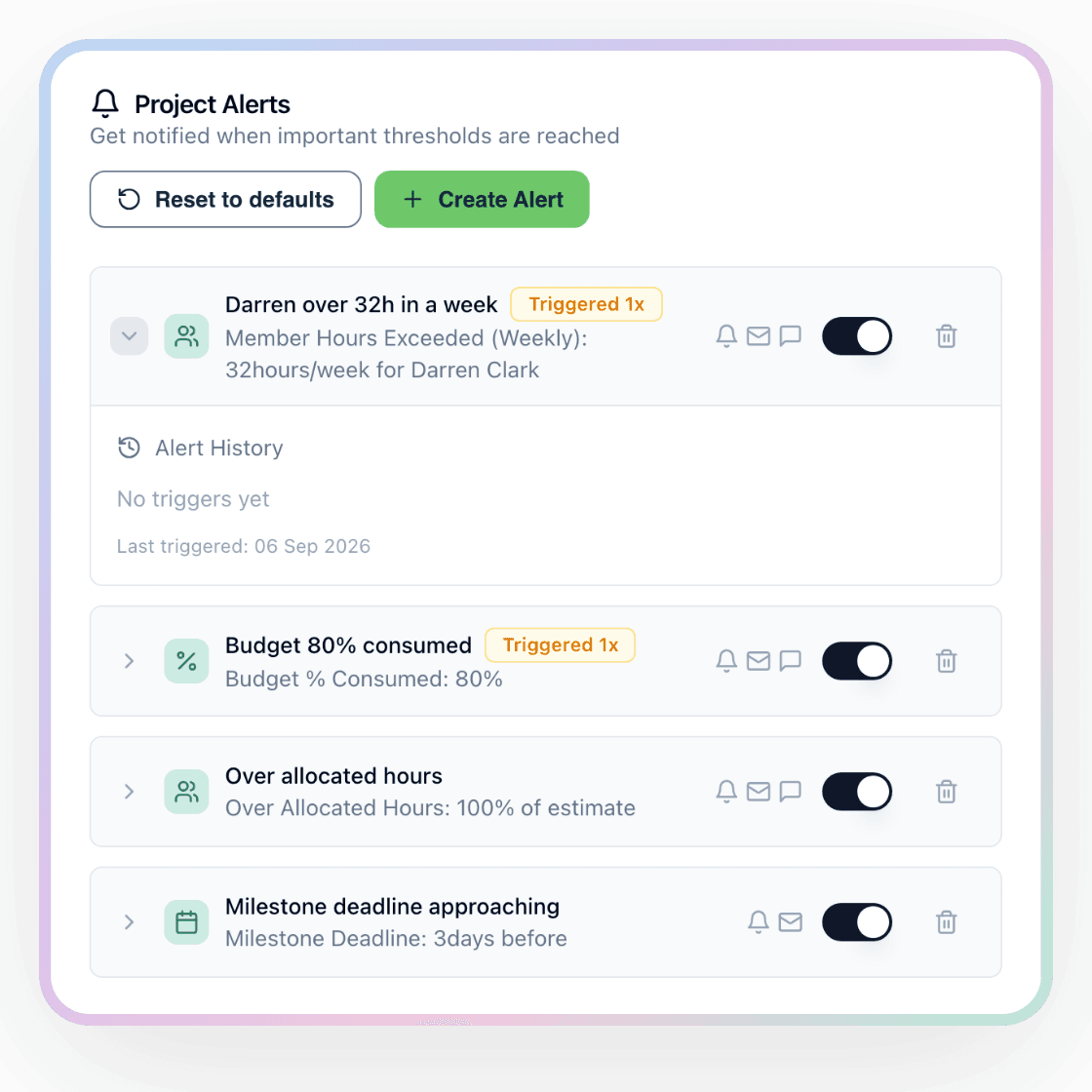
Every project self-arms.
You don’t set anything up. The moment a project exists, three alerts are already on it: hours over allocation, a milestone deadline approaching, and budget 80% consumed the moment there’s a budget to measure against.
That’s the difference between a tool you have to remember to check and one that taps you on the shoulder. Most agencies never get past the “we should really set that up” stage. Here there’s nothing to set up.
Add your own on top... a weekly limit for the one person who never says they’re drowning, a cost ceiling on the fixed-fee job, a margin floor on the retainer. Or don’t. The defaults are already watching.
What it watches
Twelve things it watches.
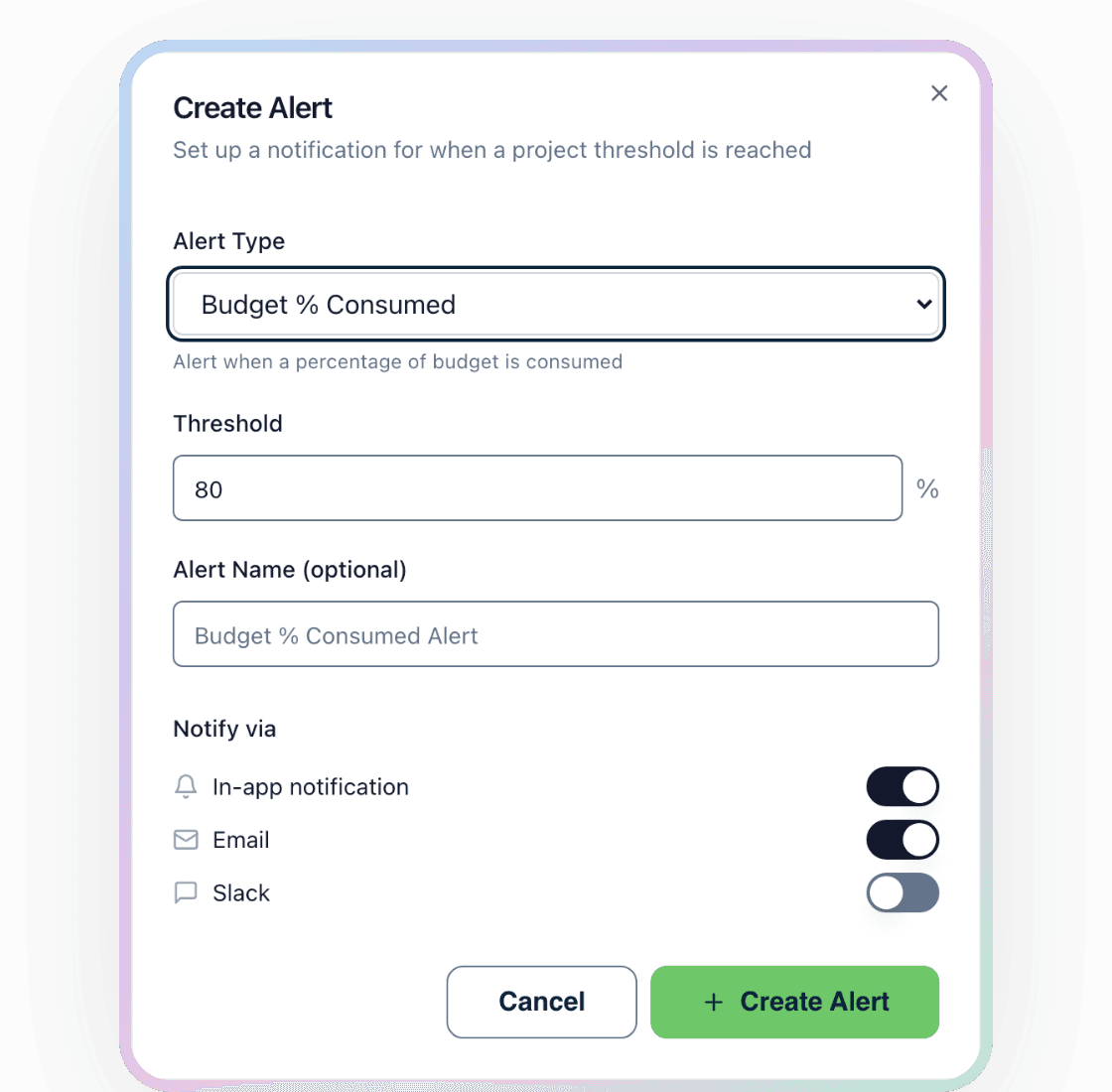
Pick an alert type, set the threshold in hours, dollars, percent or days, choose a day, a week, a month or the whole project, and point it at one person or the whole team. That’s the entire form.
People
- A person over their hours for the week
- A person over their hours on the project
- A person logging fewer hours than expected in a week
- A person over the hours allocated to them on a milestone
Projects
- Total project hours past a threshold
- At the current pace the project will run over its budget
- No time logged for a set number of days
- A milestone deadline approaching
Money
- A percentage of the budget consumed
- A dollar amount of the budget consumed
- Project cost past an amount
- Margin below your target
Delivery
Where the ping lands.
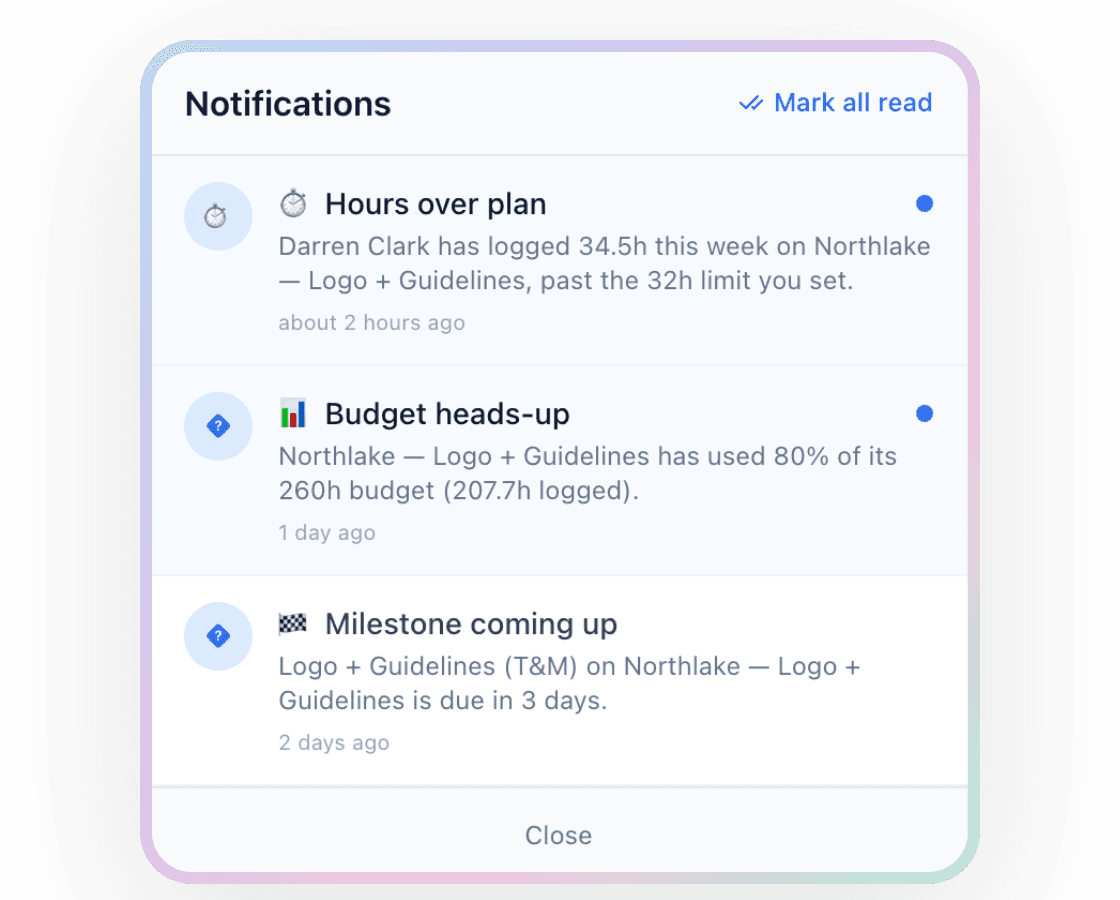
Each alert has three switches: email, in the app, Slack. Flip the ones you want. The Slack one goes to the channel you choose, so the PM sees the project alert and you see the margin one.
Every trigger is logged against the alert, with the value it fired at and when, so “how long has this been going on?” has an answer. And it doesn’t nag: an alert fires when the line is crossed, not every hour after.
The hours themselves come from wherever your team already logs them. Harvest, Toggl, Hubstaff or Clockify, synced in. Nobody learns a new timer.
Reports
The reports behind it.
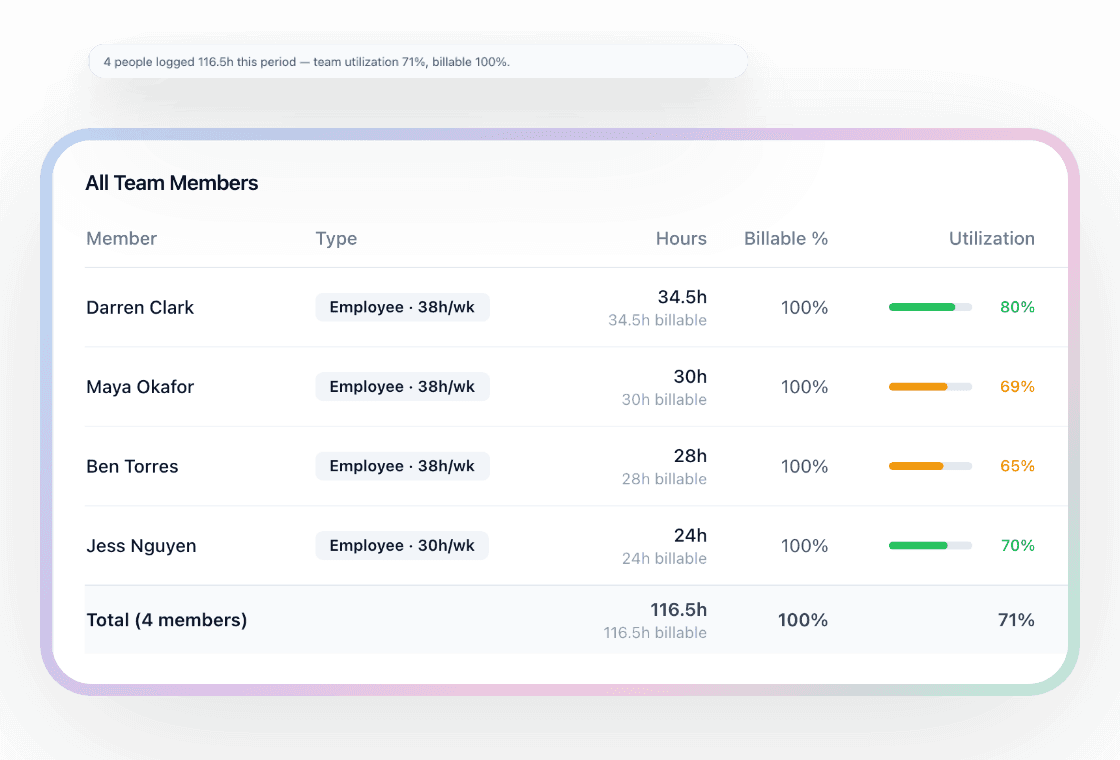
Alerts are the interrupt. The reports are where you go when you want the whole picture. Utilisation per person: hours logged against capacity, billable share, and what those hours earned and cost. Budget burndown per project: how fast the hours are going and where the line hits the budget.
The team-member report puts cost and billable hours side by side for everyone, so the “who’s over” question and the “who’s idle” question get answered on the same screen.
Want the spreadsheet version first? The free capacity planner does the 12-week grid by hand, and the free unbilled hours calculator shows what unbilled hours cost you a year.
Permissions
Juniors can log time without seeing rates.
Cost is a permission, not a default. Give it to the people who run the numbers. Everyone else sees hours and never a rate, a cost or a margin, on the project page or in any report. So the whole team can live in the same projects without the whole team knowing what everyone earns.
Frequently asked questions
Does it stop people logging time when they hit the limit?
Do I need Handl's own time tracking?
Can I get a daily summary instead of individual alerts?
What if I don't set a budget?
Can my team see rates and margin?
Free tools
Take something with you
Try it, no sign-up
Unbilled hours calculator
How much billable work never made it onto an invoice, and what that costs a year. Result on the page, no sign-up.
Open the calculatorWeek two, not month end
Stop finding out from the timesheet.
Connect the time tracker you already use, and every project starts watching itself. 7-day free trial, from $29/mo.
Start your 7-day free trial