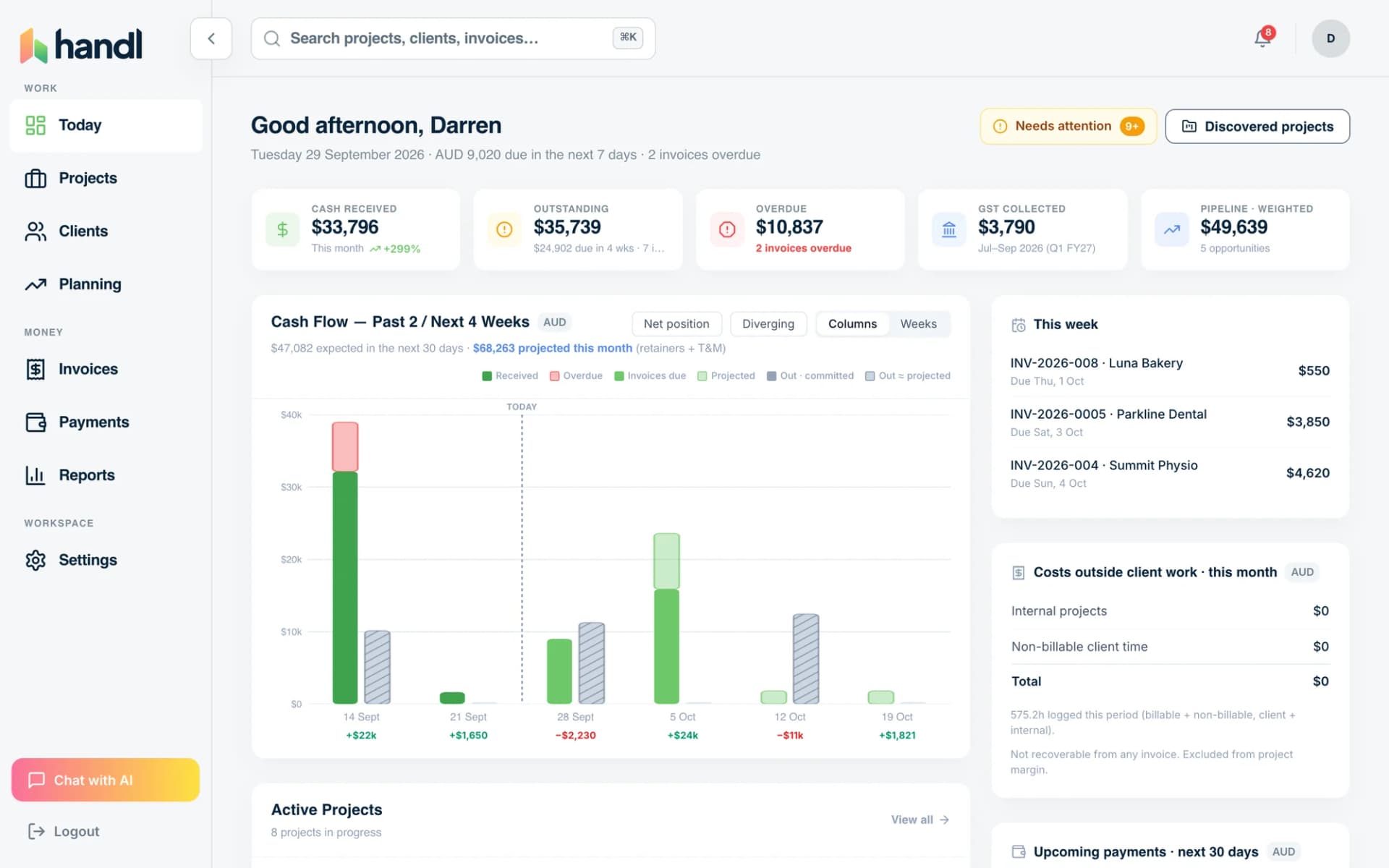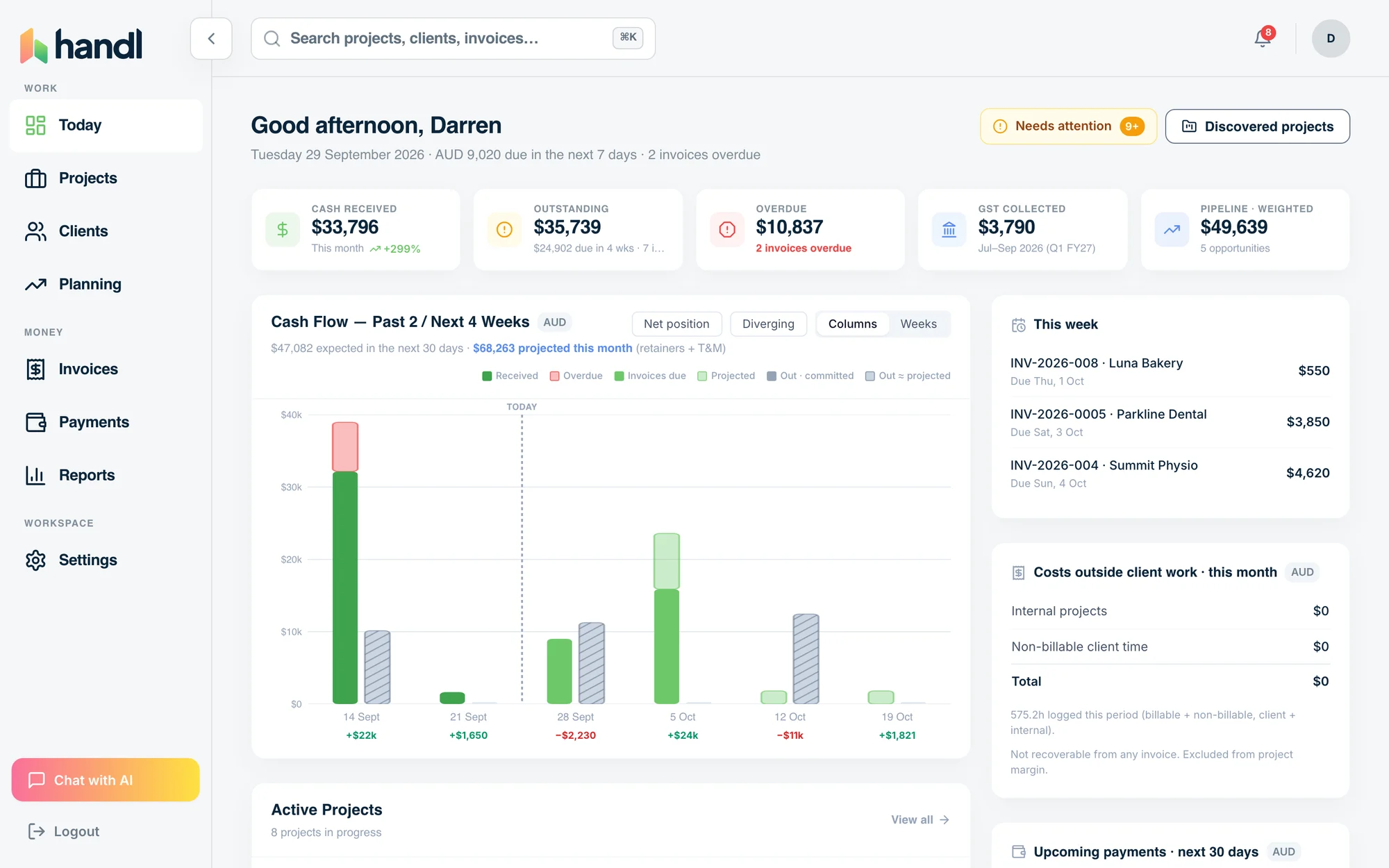
PROJECT MARGIN
Know what every project actually made.
Know a job's margin while you can still fix it.
Hours and costs land against each project as they happen. Handl shows the margin, warns you when a budget slips, and puts the profit on every invoice.
Free for 7 days, then flat plans from $29/mo.
- Margin before the work starts
- Alert at 80% of budget
- Profit on every invoice
- Margin before the work starts
- Alert at 80% of budget
- Profit on every invoice
Questions this page answers
- Is this project even making money?
- When did this job go over?
- Which clients are worth it?
How it runs
- Three people, each with a grey cost bar and a longer lime bill-rate bar side by side.
Plan the margin.
Allocate people to a milestone. Cost and bill rates sit side by side.
- Seven daily cost bars under a rising lime revenue line.
Watch it run.
Hours and costs arrive, cost by role and by day.
- A budget bar filled to 80 percent with a lime alert reading 80% of budget.
Hear about it early.
Alerts at 80% of budget, over allocation, or under your margin target.
Try it, no sign-up
Project margin calculator
Fee, hours by role and what your people cost. See the real margin and what you should have quoted. Result on the page, no sign-up.
Open the calculatorWhat you get
- Revenue and cost
- 50.7% margin
- Cost and margin on every line
Questions people ask first
Do I need a spreadsheet as well?
No. Hours, rates and costs already roll up per project.
Can the whole team see cost rates?
You choose who sees them, person by person.
Does it include non-time costs?
Yes. Software, contractors and other costs go against the project.
Can I change the alert thresholds?
Yes. Or add margin, pace and cost alerts of your own.
Where do alerts go?
In the app, by email, or in Slack.
Do I have to leave Xero or QuickBooks?
No. Your books stay where they are.
Between your PM tool and your books
Handl is the connection between the tools you already use.
- Not a project management tool.
- Not an accounting platform.
- Not an all-in-one agency OS.
- Reads the work from your PM and timesheet tools.
- Drafts the invoice. You press send.
- Pushes it to Xero or QuickBooks. Your books stay reconciled.
Nothing to migrate. Your team keeps working where they work. Your accountant keeps Xero or QuickBooks.
Integrations
Works with the tools you already run.
Monday, Asana, Jira, ClickUp and Linear for the work. Xero or QuickBooks for the books. Stripe for the payments.


See how Xero and QuickBooks connect.
Ask an agency owner what a project billed and you’ll get an answer in five seconds. Ask what it cost and you get a pause, a guess, and a nervous laugh.
That’s not a discipline problem. It’s a tooling problem. The hours are in timesheets, sure — but the contractor invoice is in your email, the media spend is on a card statement, and the API credits are… somewhere. So “that project went well” stays a feeling instead of a number.
Handl puts costs next to the money they ate. Every project gets a Time & Money view: what you billed, what it cost — labor and hard costs — and the margin left over. In actual numbers, with a colour on them.
Logging costs
Log it in ten seconds — or just upload the bill
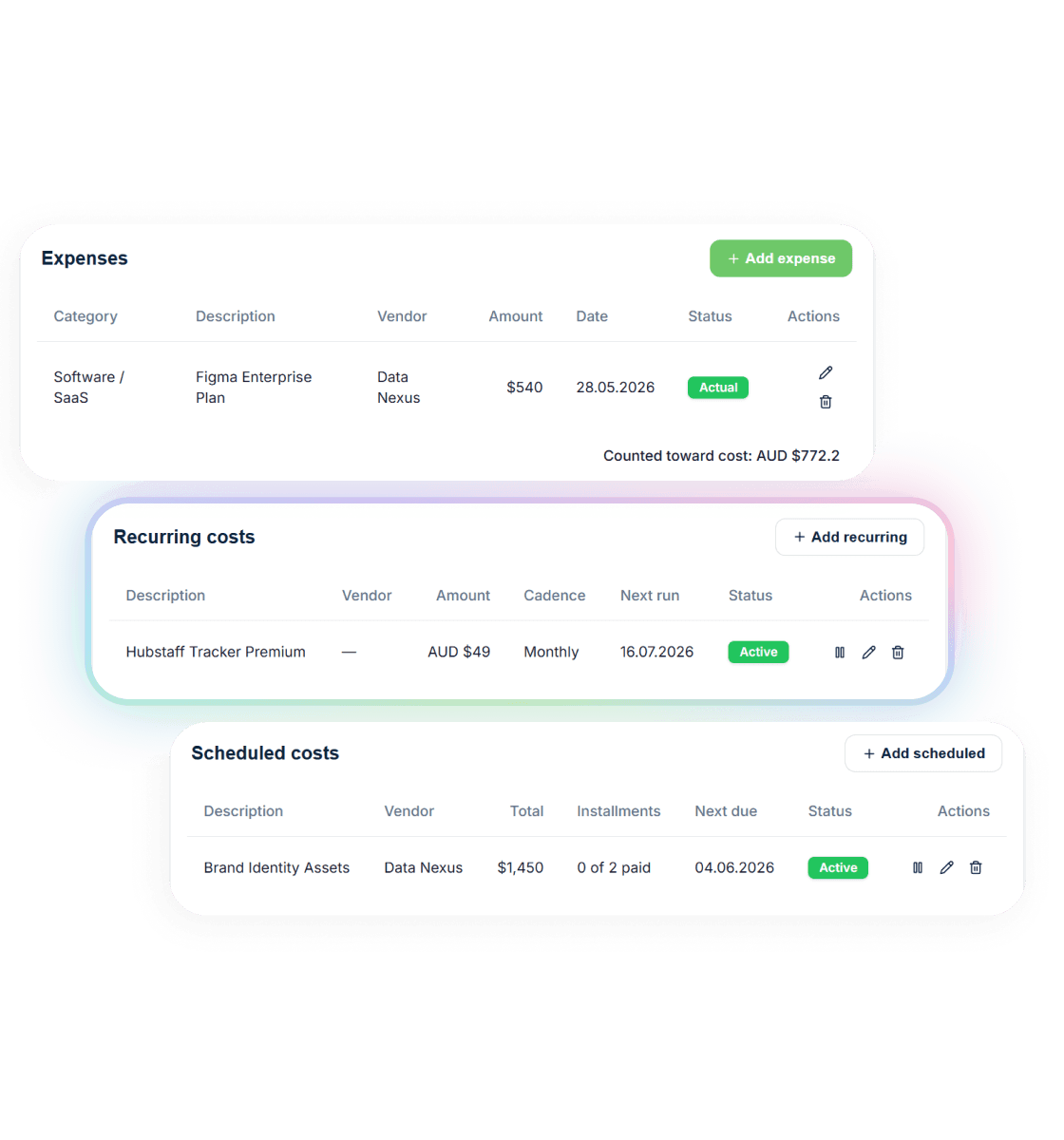
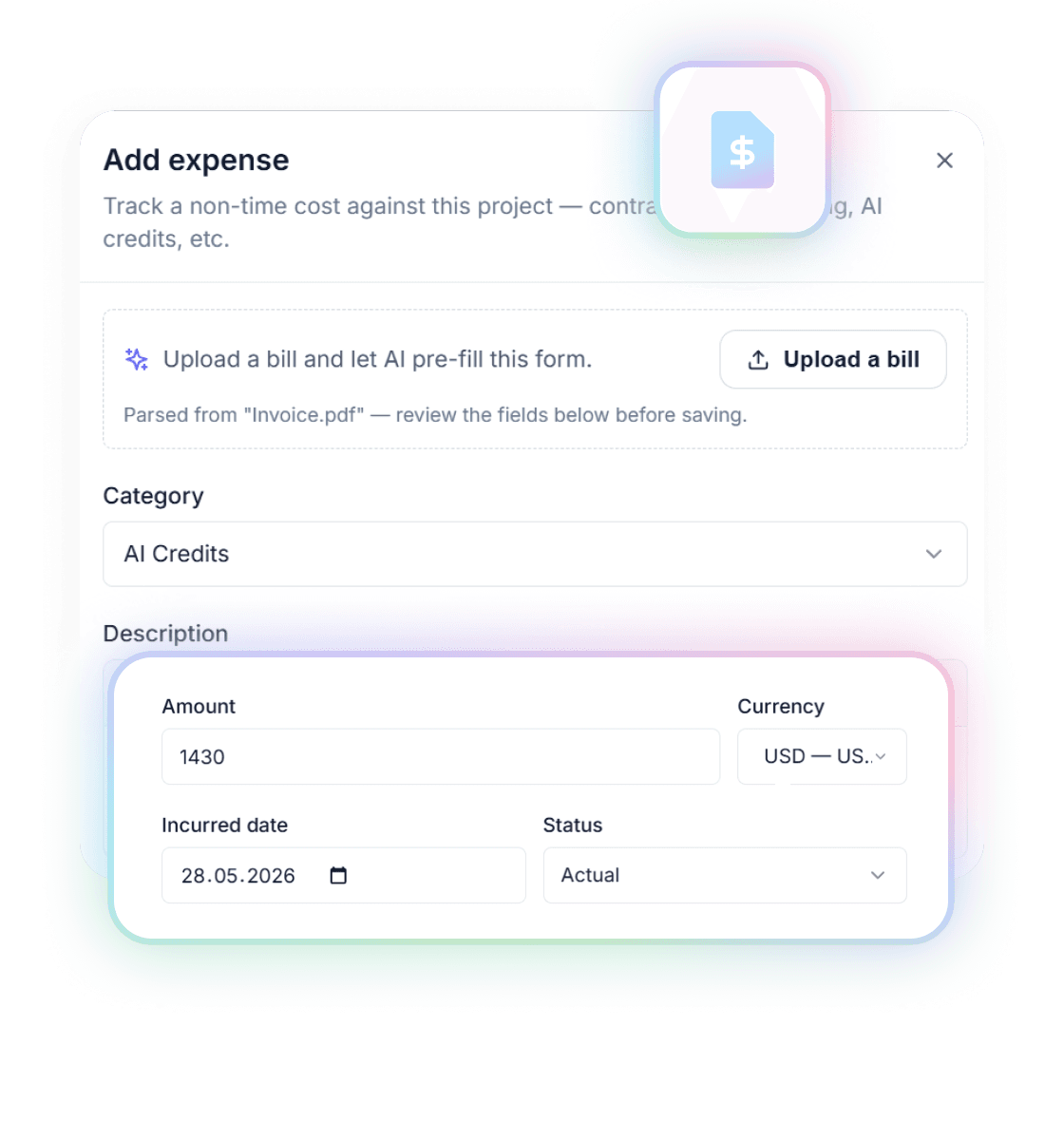
Add an expense the boring way: description, vendor, amount, date, category. Ten categories that actually match how agencies spend in 2026 — Contractor, Hosting, Software/SaaS, AI Credits, Media Spend, Assets, Third Party, Travel, Processing Fees, Other.
Or skip the typing. Upload the vendor’s bill — PDF or a photo — and AI reads it: vendor, amount, date, category, all pre-filled. You glance, fix anything it got wrong, hit save.
Two things it will never do: it never invents numbers, and it never books anything without you. Can’t read a messy bill? It says so and you fill in the form. You’re always the one who hits save.
More on how that works in upload the bill: AI cost capture.
Recurring & scheduled
The costs that repeat, book themselves
Most project costs aren’t one-offs. The hosting repeats. The retainer contractor repeats. The SaaS seat is yearly and only remembered when it hurts.
Set a recurring cost once — weekly or monthly, quarterly or yearly — and Handl books it each period until you pause it or it hits its end date. Auto-created entries get a “Recurring” badge so you always know what was you and what was the robot.
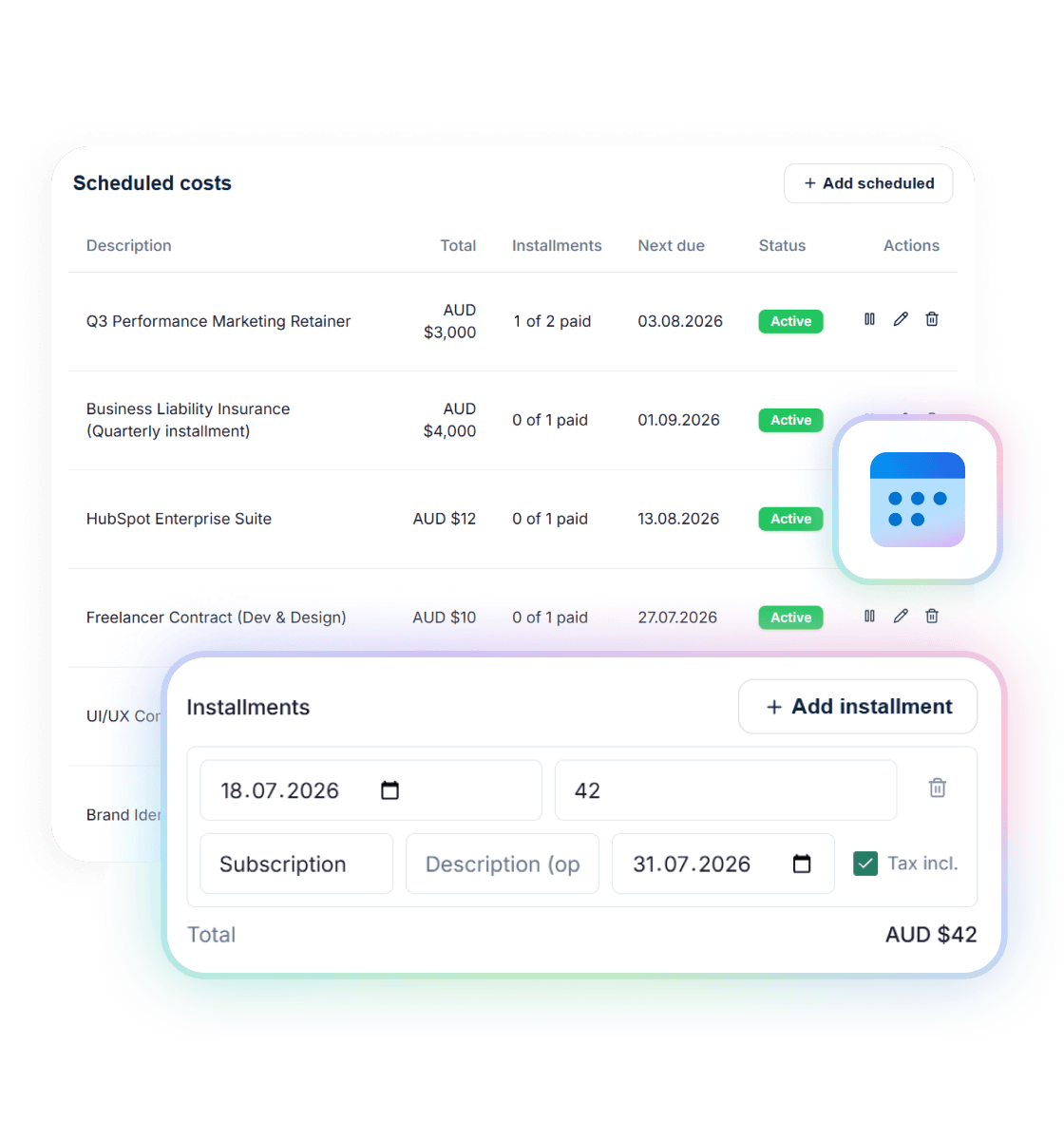
And for the freelancer you’re paying “$2k deposit, $3k on 1 September, $5k on 1 October”? That’s a scheduled cost: set the installments once, each one books itself on its due date, and the widget shows “1 of 3 paid” with the next date. Booked installments never change behind your back — editing a plan only ever touches the ones still in the future.
Margin
Margin, with a colour on it
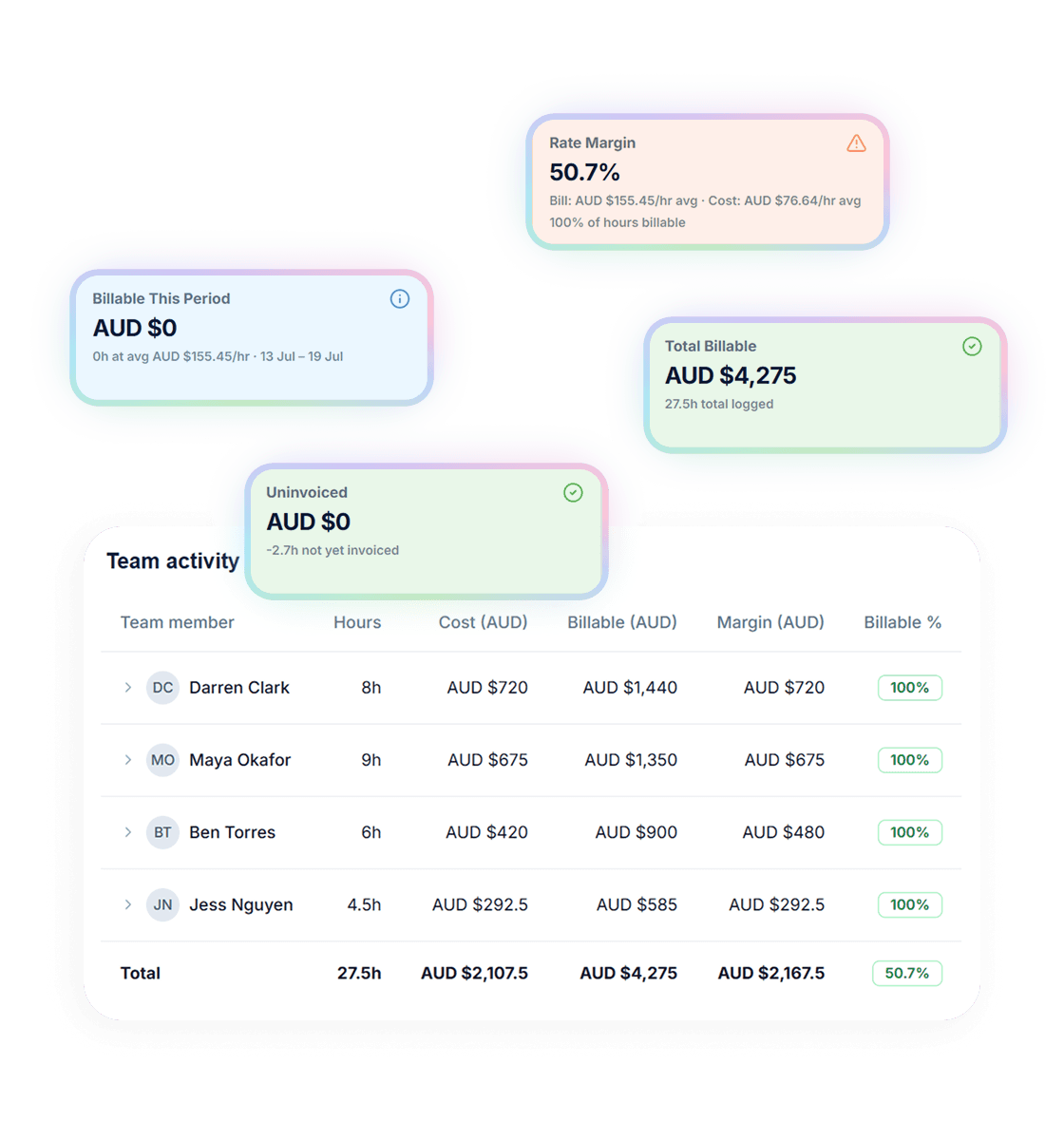
Costs don’t sit in a list — they land in the maths. Time & Money folds labor from timesheets and hard costs together into the project’s real cost, and shows you margin the way your gut already thinks about it: green when it’s healthy, amber when it’s tightening, red when the project is quietly eating you.
There’s a weekly trend too — billable vs cost, side by side — so you see the exact week a project turned. Not a quarter later in your accountant’s summary. That week.
One detail agency owners appreciate: cost and margin columns are permission-gated. Your team sees their hours; who sees the margins is up to you.
Want the full picture of what “profitable” means for an agency project? Read the guide to agency project profitability. Or put your own numbers through the free project margin calculator.
Frequently asked questions
Can I bill these costs on to my client?
Does the AI book expenses automatically?
What can I upload?
What about costs in other currencies?
Is this an expense tracker or bookkeeping tool?
What if a contractor's already in timesheets?
Pricing
From $29/mo. Three plans, no per-seat math.
Solo is $29 for one person, Team is $99 for up to 3 people, and Agency is $199 with unlimited users on the Agency plan. 7-day free trial on every plan.
See full pricingFree tools
Take something with you

Reclaim your time
Know a job's margin while you can still fix it.
Handl shows the margin as the project runs, and puts the profit on every invoice.