Comparison guide
Handl vs Harvest: Use One, or Use Both?
Free for 7 days, then flat plans from $29/mo.
Harvest is genuinely one of the best time tracking tools out there. If your team tracks hours and you need clean timesheets to invoice from, Harvest does that job well. But invoicing is secondary for Harvest — it's built around tracking time, not managing a billing relationship. No milestone billing, no client portal for approvals, no automated payment reminders that actually think. Handl integrates with Harvest directly, so you keep Harvest for the timers and let Handl turn that time into sent, chased, reconciled invoices — from $29/mo, priced by plan, not per seat. This page covers 2026 pricing for both and what you give up running Harvest alone. (Software agency? See how dev shops use Handl to ship the repo when the invoice clears.)
Written by Darren Clark — Founder of Handl. Ran digital agencies for over 20 years.
Last updated 19 August 2026
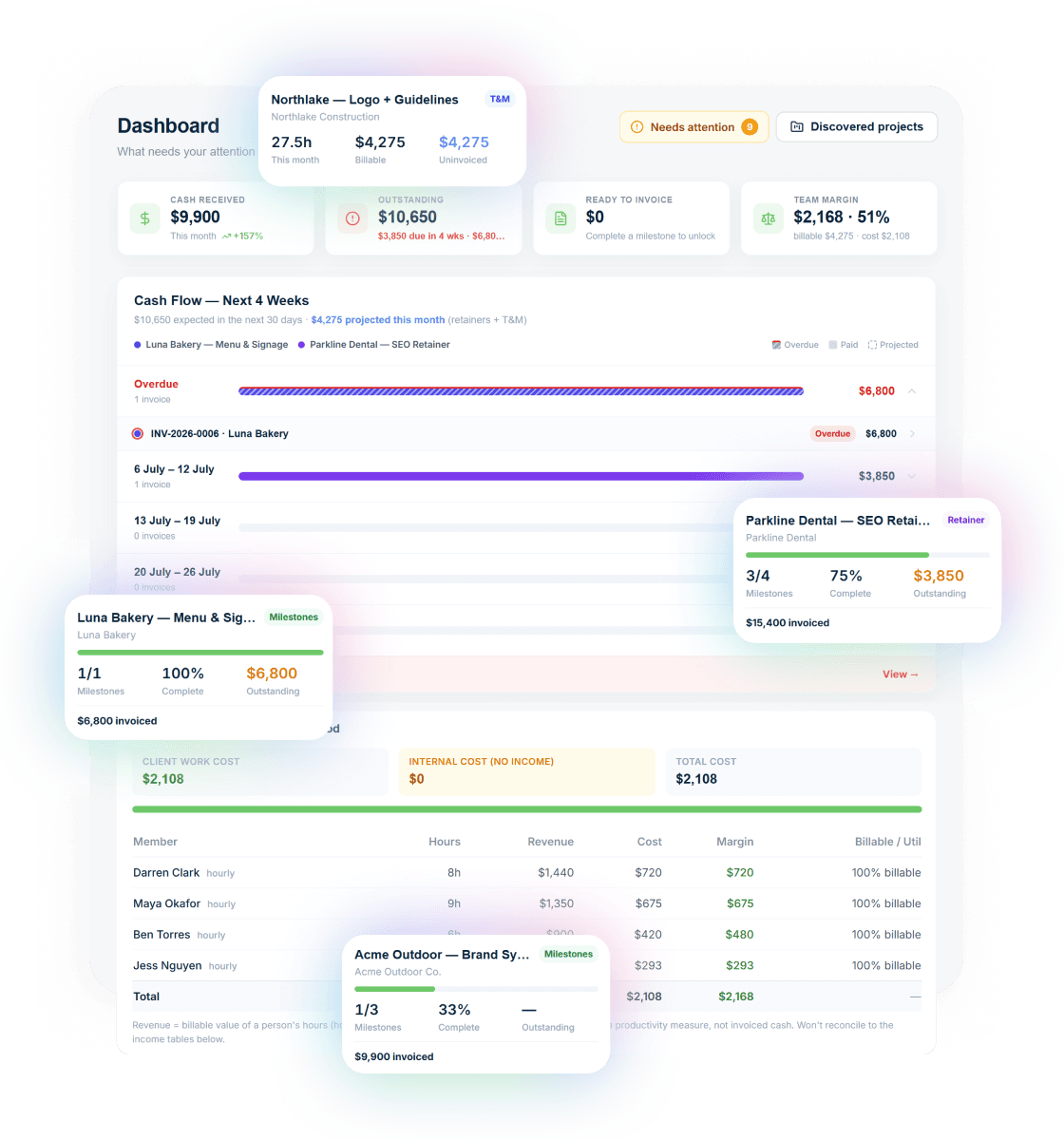
- Invoices created automatically when work completes
- Payment reminders that keep chasing until you’re paid
- Clients pay from a link — no client login required
Built by an agency owner, 20 years in. Plugs into the tools you already use.


Quick verdict
Harvest tracks your time. Handl handles your client billing relationship. They integrate — most agencies use both.
Side by side
How they stack up
Handl
Best for: Agencies and freelancers who need milestone-based billing, a client-facing portal, and automated payment collection — whether or not they track time in Harvest.
Harvest
$11–$12
per user, per month
Best for: Teams and freelancers who need best-in-class time tracking, clean timesheet reports, and simple invoice generation directly from logged hours.
- Free: 1 seat, 2 projects
- Pro: unlimited
- Industry-leading time tracking
- Expense tracking
- Invoicing from tracked hours
- Team reporting
Feature by feature
Handl vs Harvest: feature comparison
| Feature |  |
Harvest |
|---|---|---|
| Milestone-based billing |  |
 Hourly/flat only Hourly/flat only |
| Automated payment reminders (AI) | |
Basic overdue notices |
| AI-native (not bolt-on) | |
|
| Client portal | |
Invoice view only |
| Quote / proposal builder | |
|
| Digital signatures | |
|
| Revenue forecasting | |
|
| PM tool integrations (Jira, Asana, Monday) | |
Via integrations |
| Xero integration | |
Via integrations |
| Harvest integration | Native |
Is Harvest |
| Multi-currency | |
|
| Project health scoring (AI) | |
|
| Time tracking | Integrates with trackers |
Best-in-class |
| Team time visibility | |
|
| Invoice from timesheets | Via Harvest import |
Native |
| Free plan | |
(1 user, 2 projects) |
| Free trial | 7-day free trial |
30 days |
| Starting price | From $29/mo | $14/user/mo (Pro) |
| Per-seat pricing | Plan tiers — Agency $199/mo = unlimited users |
Per user |
See it in action
What you get with Handl
Including automated milestone billing and deliverables held until payment.
Ask your billing anything
Type “What’s overdue?” and the AI assistant answers with the client, the invoice and the amount — then switches on reminder cadences in one click.
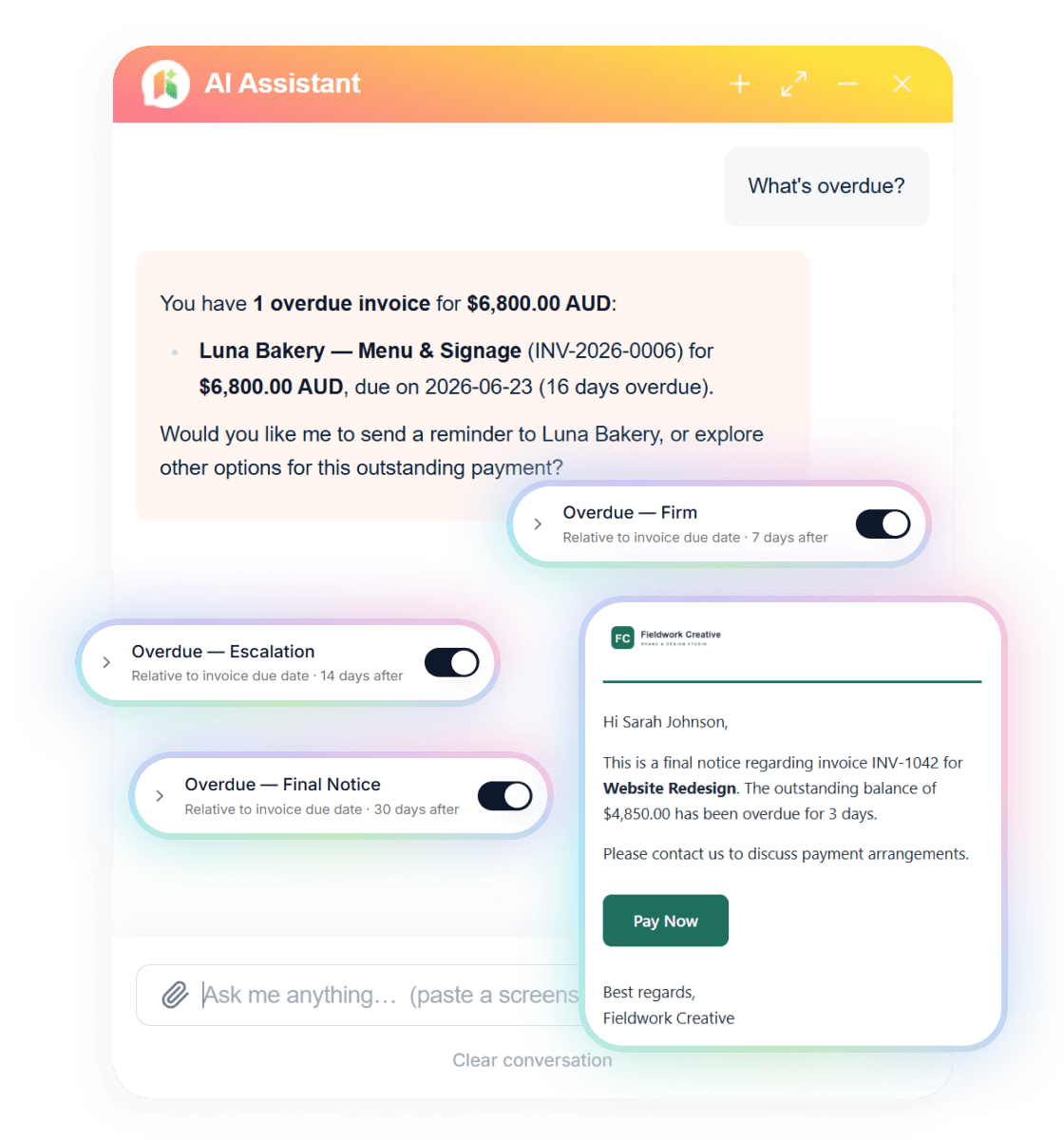
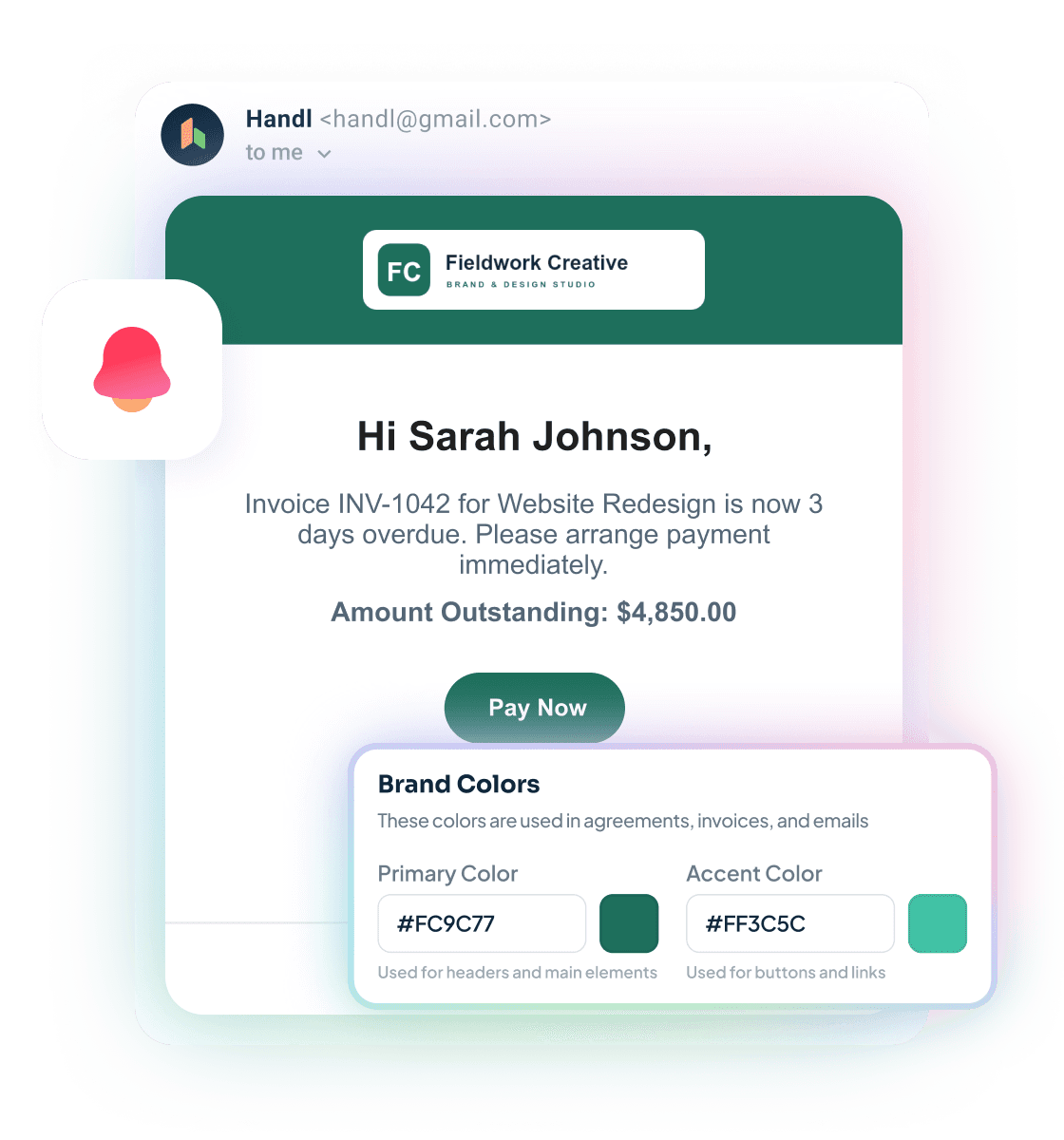
Reminders that send themselves
Branded emails escalate on your schedule — friendly nudge, firm follow-up, final notice — each with a Pay Now button. Clients see your brand, not ours.
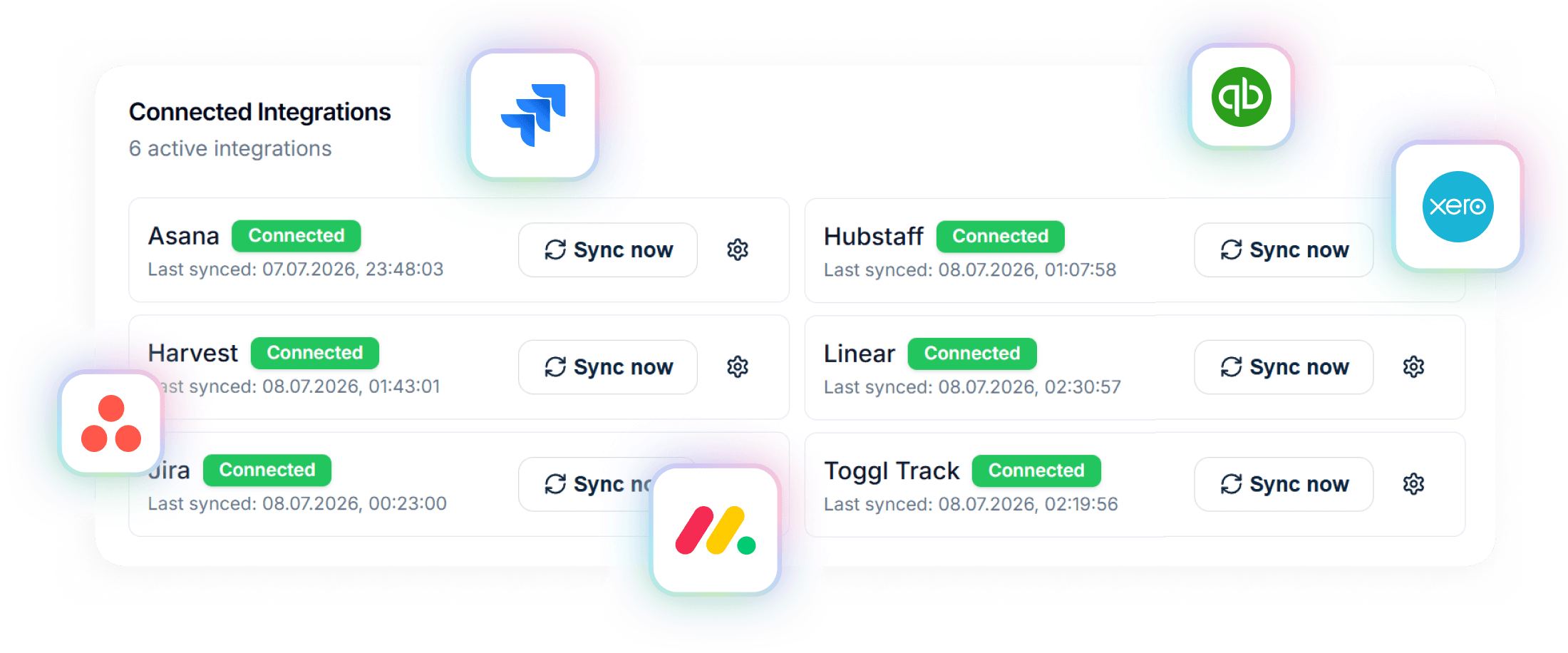
Connected to your stack
Project data in from Asana, Jira, Monday, Linear or ClickUp. Invoices out to Xero or QuickBooks. Time from Harvest, Hubstaff or Toggl.
A closer look at Harvest
Harvest has been a go-to time tracking tool for agencies and freelancers for years — and with good reason. The timer interface is clean, the team visibility is useful, the integrations are solid (it connects to most PM tools, accounting software, and payroll systems), and the timesheet-to-invoice workflow is genuinely smooth if your billing is purely time-based.
The free plan works for solo operators with simple needs. The Pro plan at $14/user/month gets you unlimited projects and clients, plus the invoicing and payment features. For a 5-person team, that's around $70/month — it adds up compared to a flat-rate tool.
Where Harvest runs out of road is when your billing gets more complex than hourly invoices. There's no milestone billing. No client portal beyond a basic invoice view. No AI-driven payment reminders — just standard overdue notices. No project health scoring or revenue forecasting tied to project delivery.
Harvest is honest about what it is: a time tracking tool that invoices. If that's exactly what you need, it's excellent at it. If you need more structure around the billing relationship itself, that's where Handl comes in — and because Handl integrates with Harvest, you don't have to choose.
Strengths
What are our strengths?
- Milestone billing built for project-based work — split a project into phases, bill each one on completion
- AI-driven payment reminders that actually chase clients — not just an overdue notice
- Client portal where clients approve quotes, review invoices, and pay
- Digital signatures on proposals — proper paper trail
- Project health scoring gives an early warning on cashflow or delivery risk
- Revenue forecasting tied to project pipeline
- Priced by plan, not per seat — from $29/month, capping at $199/mo for unlimited users. Harvest's per-seat model gets expensive fast for growing teams
- Integrates with Harvest — bring in tracked hours and manage the billing layer on top
- Genuinely best-in-class time tracking — clean, fast, reliable
- Team time visibility is excellent for managers tracking utilisation
- Simple, polished UI that teams actually use consistently
- Timesheet-to-invoice in a few clicks for hourly billing
- Strong integrations with accounting, PM, and payroll tools
- Free plan for solo operators with basic needs
- 30-day free trial
- Long track record — widely trusted by agencies globally
- Harvest Forecast add-on for capacity planning
Which one is for you?
When to choose each tool
Your agency is doing project-based or milestone-based work and time tracking alone doesn't solve your billing problem. You need to send a proposal, get sign-off, bill at project phases, catch the scope additions before they become free work, and chase payments without sending awkward manual emails.
If your team already uses Harvest, you don't have to stop. Handl integrates with Harvest — tracked hours can feed into Handl's billing workflow. But Handl takes over the parts Harvest doesn't cover: the client-facing experience, the milestone structure, the approval chain, the reminders, and the connection to your accounting software (Xero) on the back end.
For a growing agency billing more than a handful of clients, Handl's plan pricing also makes more financial sense than Harvest Pro's per-seat pricing as headcount increases — the Agency plan caps at $199/month no matter how many people you add.
Harvest is the right call when time tracking is your primary need. If you bill purely by the hour, your invoicing is straightforward, and you want clean timesheets your clients or accountant can see — Harvest does all of that better than anything else at its price point.
Solo operators and very small teams can often get by on Harvest's free plan. If your billing is simple and you just need to know where your hours went and get a basic invoice out the door, Harvest is more than enough. Handl starts to earn its place when the billing relationship gets more complex — phases, scope changes, approval workflows, chasing payments.
The verdict
Harvest and Handl aren't really fighting over the same ground. Harvest is a time tracking tool with invoicing. Handl is an agency billing platform with time tracking integrations. The cleaner question is: what does your billing actually look like?
If you track hours and invoice directly from timesheets with minimal back-and-forth, Harvest handles it well and costs less for solo operators.
If you're running project-based work with milestone billing, client approvals, scope changes, and the ongoing joy of chasing late payments — that's Handl's territory. And if you love Harvest's time tracking, keep it. Connect it to Handl and get the best of both.
For agencies billing $10k+ per month across multiple clients and projects, the combination of Harvest for time tracking and Handl for billing operations is genuinely the stronger setup. Starting at $29/month, adding Handl to an existing Harvest subscription can cost less than adding a couple of extra Harvest seats.
Related comparisons

Reclaim your time
Stop being your own debt collector.
Get paid faster with automated invoicing and reminders.