Comparison guide
Handl vs QuickBooks: Accounting vs Agency Billing — Know the Difference
They Work Better Together
Free for 7 days, then flat plans from $29/mo.
QuickBooks is probably the most well-known accounting platform in the world, and it deserves that reputation — it's genuinely excellent at accounting. But accounting software and agency billing software solve different problems. Handl is built for the client-facing financial workflow: proposals, milestones, scope changes, and getting paid without the awkward chasing. QuickBooks is built for your books. Many agencies use both — and Handl pushes invoices into your accounting (Xero and QuickBooks, rolling out now) precisely so that combination works cleanly. This page breaks down where each tool fits, honestly.
Written by Darren Clark — Founder of Handl. Ran digital agencies for over 20 years.
Last updated 6 July 2026
- Invoices created automatically when work completes
- Payment reminders that keep chasing until you’re paid
- Clients pay from a link — no client login required
Built by an agency owner, 20 years in. Plugs into the tools you already use.


Quick verdict
QuickBooks is best-in-class accounting software. Handl is built for how agencies actually bill clients. They're not direct competitors — but if you're choosing between them for your billing workflow, Handl is the one purpose-built for project-based work.
Side by side
How they stack up
Handl
Best for: Agencies and freelancers who need milestone billing, client-facing proposals, and automated payment collection — without the overhead of full accounting software.
QuickBooks
$30–$200
per month + per user costs
Best for: Businesses of any size that need serious, full-featured accounting — payroll, tax prep, bank reconciliation, and a tool their accountant already knows.
- Simple Start: 1 user
- Essentials: 3 users
- Plus: 5 users
- Advanced: 25 users
- Full double-entry accounting
- Payroll add-on available
Feature by feature
Handl vs QuickBooks: feature comparison
| Feature |  |
 |
|---|---|---|
| Milestone-based billing |  |
 |
| Automated payment reminders | |
⚠️ Basic reminders, not AI-driven |
| AI-native (not bolt-on) | |
|
| Client portal | |
|
| Quote / proposal builder | |
⚠️ Basic estimates only |
| Digital signatures | |
|
| Change order management | |
|
| Revenue forecasting | |
⚠️ Basic financial reporting only |
| PM tool integrations (Jira, Asana, Monday) | |
|
| Push invoices to Xero / QuickBooks as drafts | Rolling out |
— (it is the accounting) |
| Time tracking integrations | |
⚠️ Basic time tracking (Plus plan+) |
| Multi-currency | |
(Plus plan and above) |
| Project health scoring (AI) | |
|
| Full double-entry accounting | Not an accounting tool |
Best in class |
| Payroll | |
(add-on) |
| Free trial | 7-day free trial |
30-day trial (varies by promotion) |
| Starting price | From $29/mo | From $15/mo (Simple Start) |
| Per-seat pricing | Plan tiers — Agency $199/mo = unlimited users |
⚠️ User limits per plan tier |
See it in action
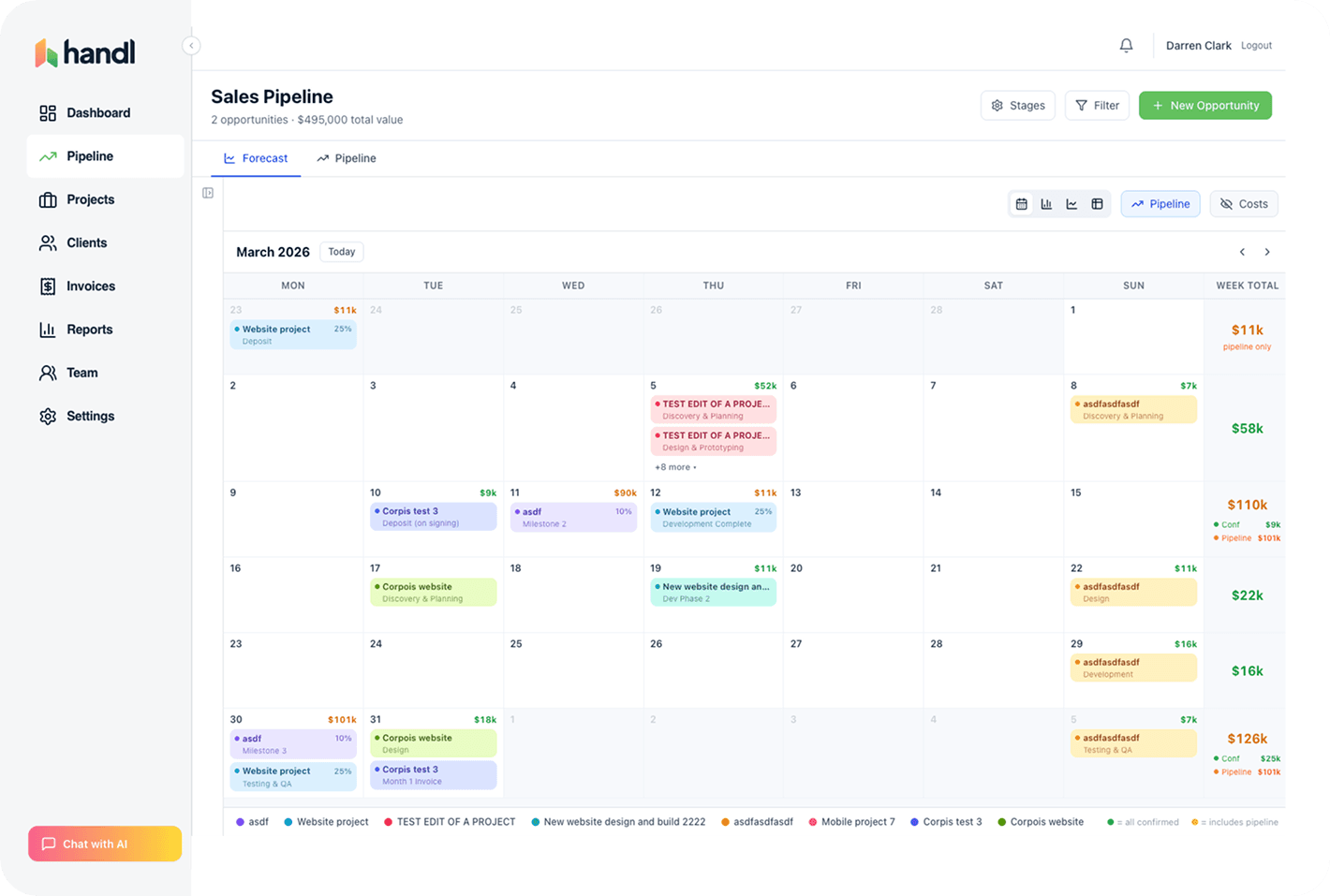
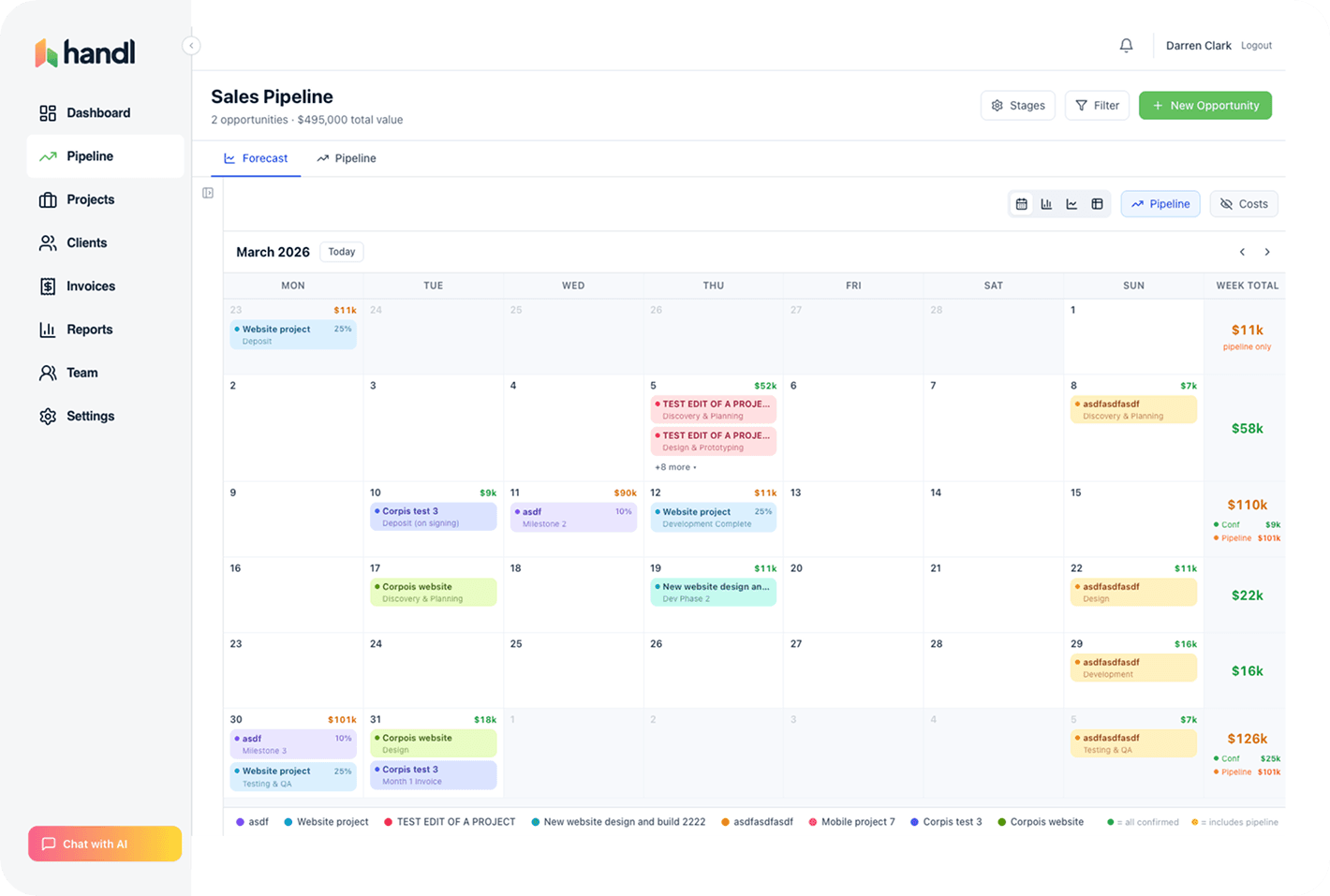
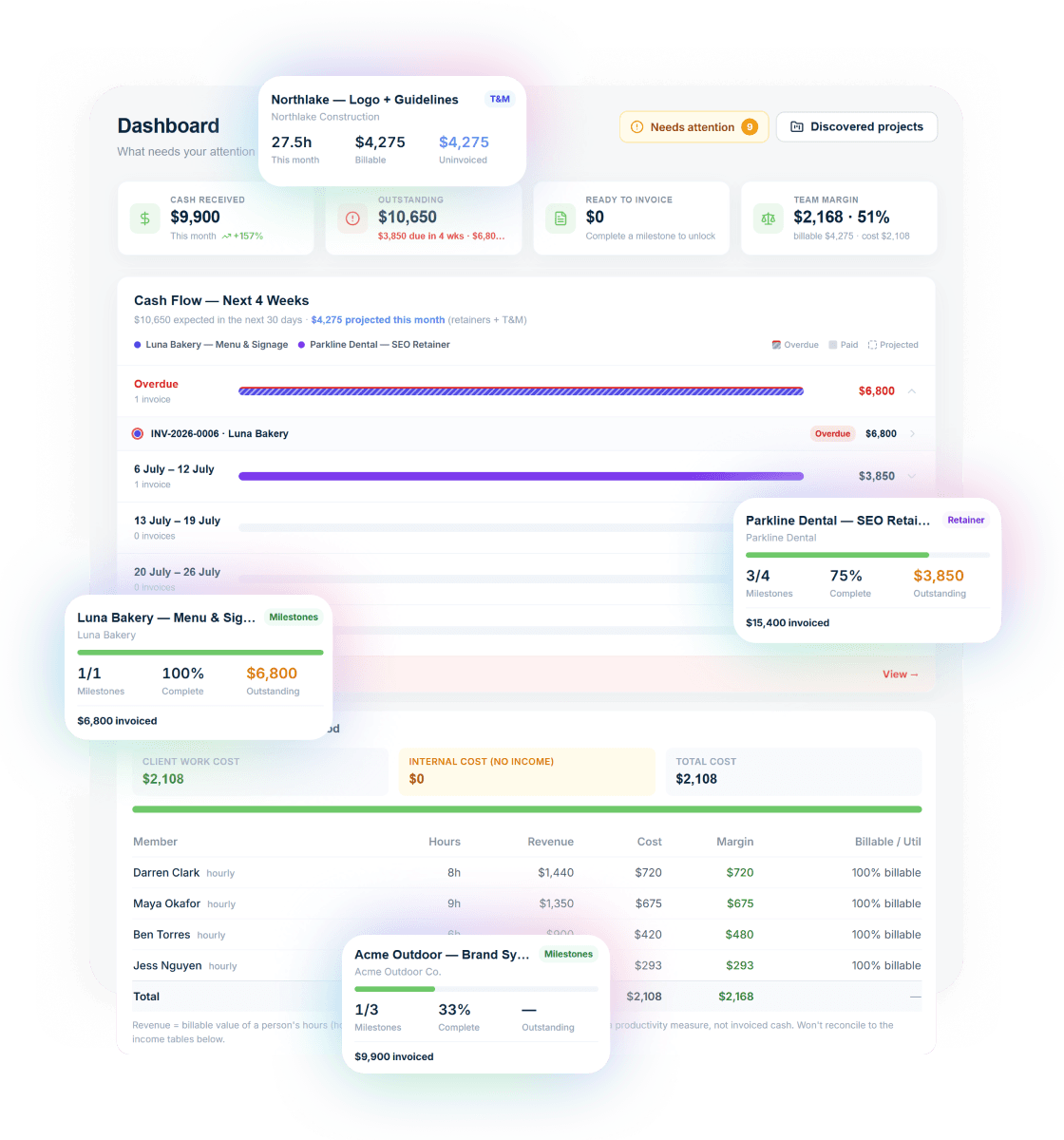
What you get with Handl
Including automated milestone billing and deliverables held until payment.
Ask your billing anything
Type “What’s overdue?” and the AI assistant answers with the client, the invoice and the amount — then switches on reminder cadences in one click.
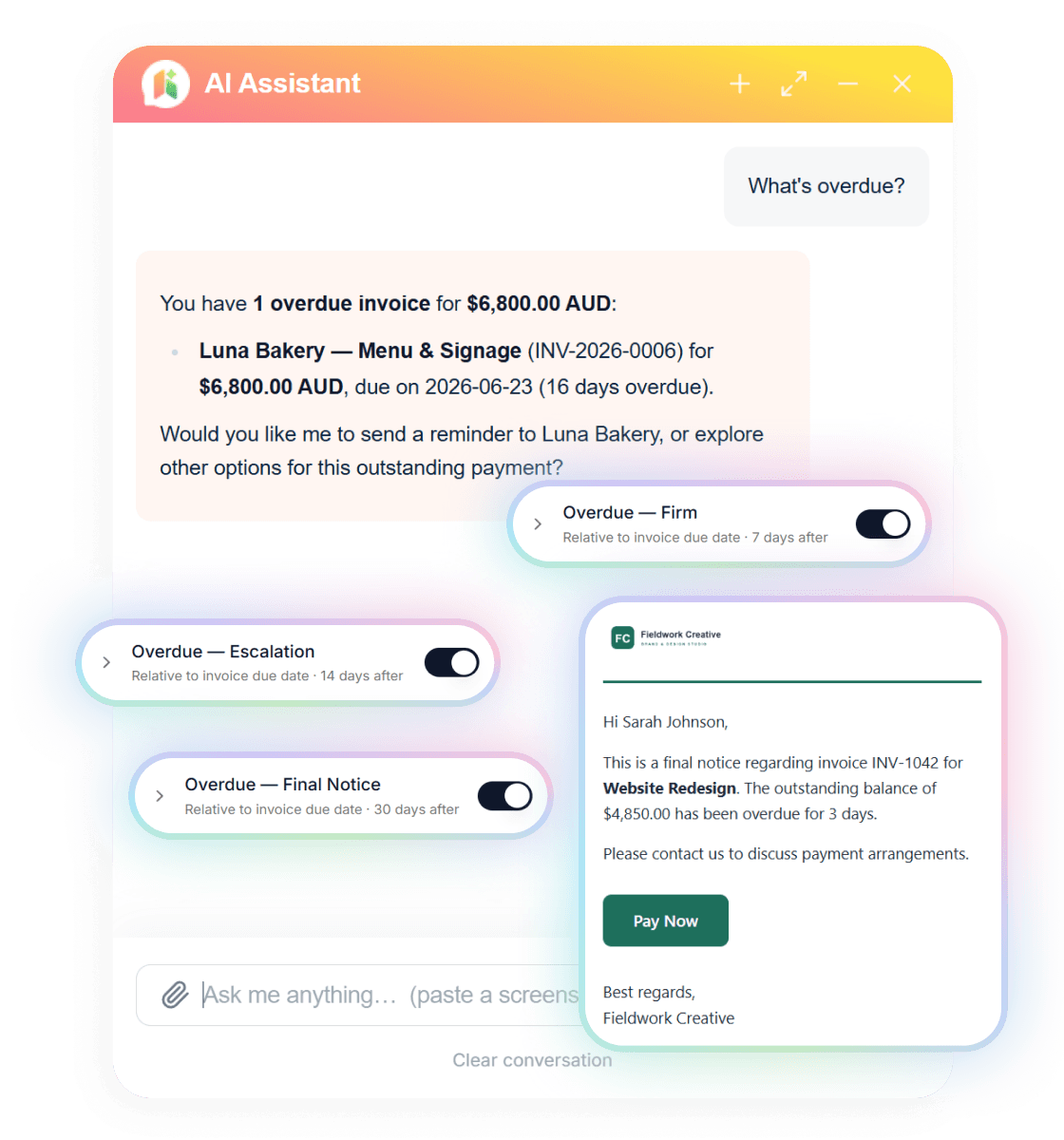
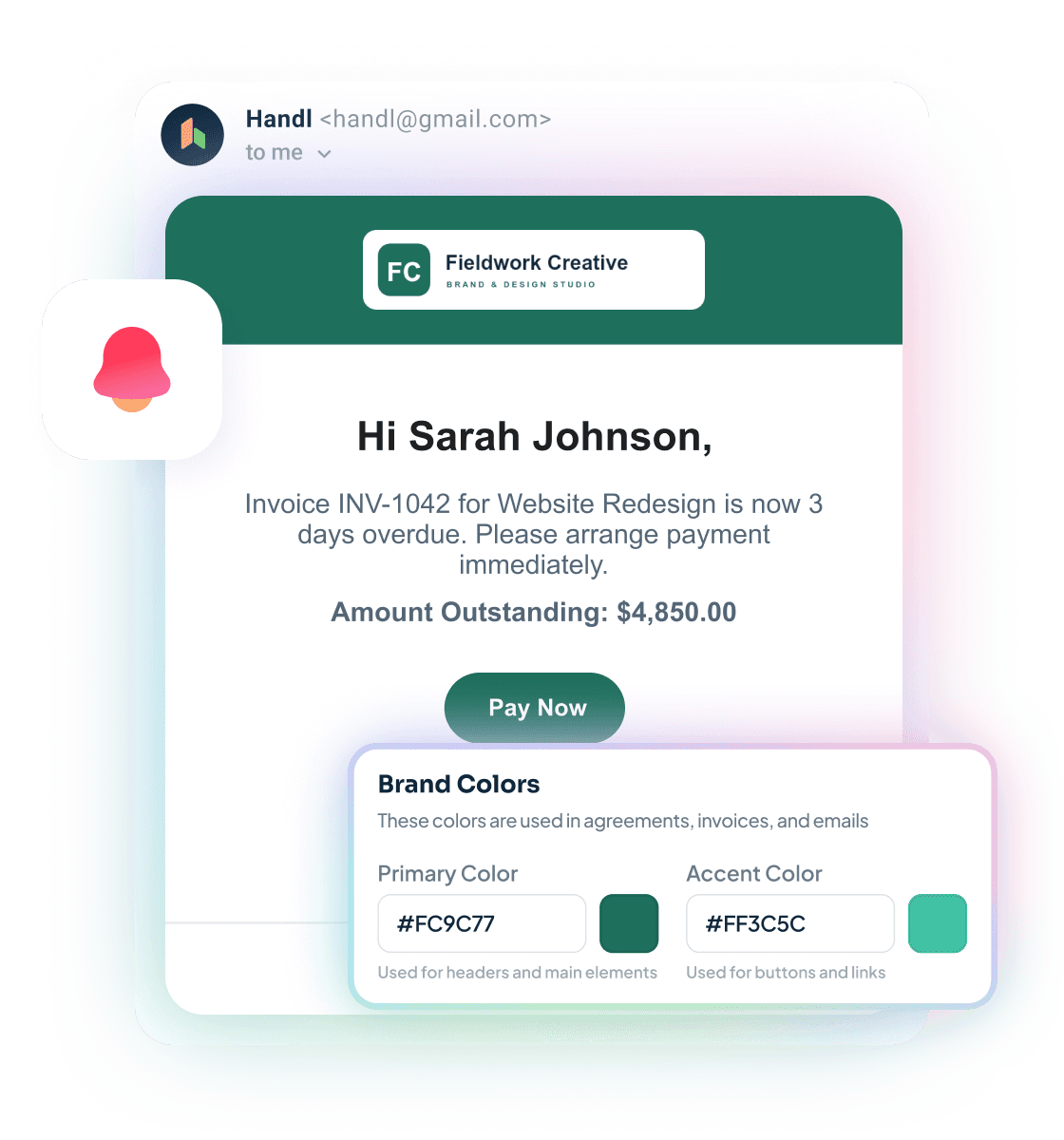
Reminders that send themselves
Branded emails escalate on your schedule — friendly nudge, firm follow-up, final notice — each with a Pay Now button. Clients see your brand, not ours.
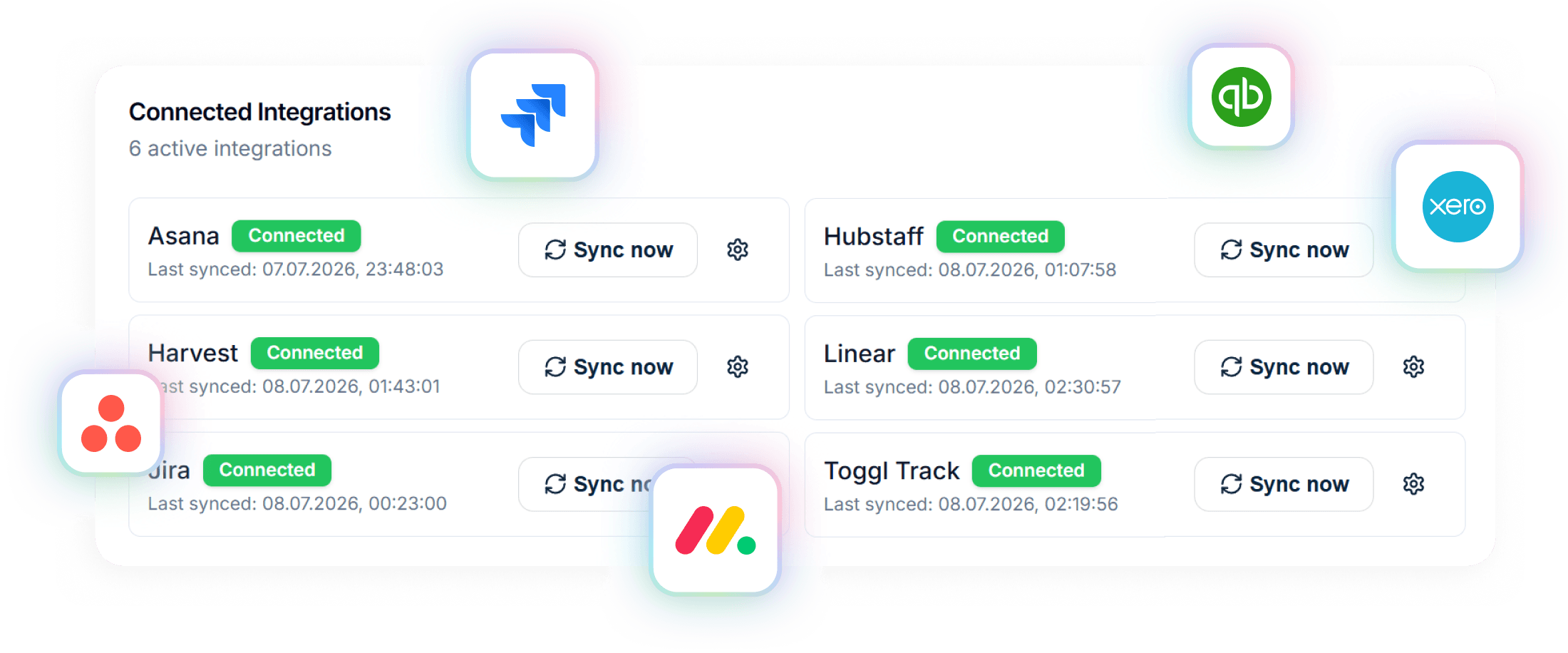
Connected to your stack
Project data in from Asana, Jira, Monday, Linear or ClickUp. Invoices out to Xero or QuickBooks. Time from Harvest, Hubstaff or Toggl.
A closer look at QuickBooks
QuickBooks Online is Intuit's cloud accounting platform and one of the dominant players in small business accounting globally. It handles the full accounting stack: double-entry bookkeeping, bank reconciliation, payroll, tax preparation, accounts payable and receivable, profit and loss, balance sheets, and an enormous library of third-party integrations. If you have an accountant, there's a very good chance they already use QuickBooks.
The platform has four main tiers — Simple Start, Essentials, Plus, and Advanced — ranging from $15/month to $100/month, though Intuit regularly discounts entry plans. At scale, it's not cheap, and the interface carries the weight of decades of feature additions. For a freelancer or small agency, it can feel like a lot.
Where QuickBooks falls short for project-based agencies: it wasn't built for milestone billing, client proposals, or change order management. There's no client portal, no proposal workflow, no digital signatures, no PM tool integrations, and no AI-driven payment chasing. It's excellent at recording what happened financially — it's not designed to manage the real-time financial relationship between an agency and its clients during a live project.
And here's the good news if QuickBooks is your accounting platform: Handl pushes invoices straight into QuickBooks as drafts, ready to send (rolling out now) — so you don't have to choose between them. Handl runs the client-facing side (proposals, milestones, chasing, getting paid); QuickBooks keeps the books, with clean invoice data flowing across.
Strengths
What are our strengths?
- Built for how agencies bill. Milestone payments, proposal sign-offs, change orders — Handl handles the actual client billing workflow that QuickBooks doesn't touch.
- AI-driven payment reminders. The system tracks overdue payments and follows up automatically. QuickBooks has basic reminder functionality but nothing close to intelligent, automated chasing.
- Client portal. Clients can see their proposals, invoices, and project history in one place. QuickBooks has no client-facing portal for project-based work.
- Digital signatures on proposals. Proposal to signature to kick-off in one flow. QuickBooks doesn't offer this.
- Change order management. When scope expands, log it, price it, get written approval — all inside Handl. QuickBooks has no concept of change orders.
- PM integrations. Jira, Asana, Monday.com — Handl sits alongside your project management workflow rather than ignoring it.
- Project health scoring. AI-driven insight into which projects are running hot or drifting off track financially — not just historical reporting.
- Simpler pricing. Three plans from $29/month — the Agency tier is $199/mo with unlimited users, so no per-seat maths.
- Best-in-class accounting. If you need real double-entry bookkeeping, bank reconciliation, balance sheets, and P&L — QuickBooks is the gold standard for small business accounting. Handl is not an accounting tool and doesn't try to be.
- Payroll. QuickBooks handles payroll natively (as an add-on). Handl doesn't.
- Tax preparation. QuickBooks is designed with tax reporting in mind. Your accountant almost certainly knows how to work with it.
- Massive ecosystem. Thousands of integrations, a huge accountant community, and deep support resources. If something goes wrong or you need help, there's a lot of support available.
- Bank reconciliation. Automated bank feeds and matching. Solid for keeping your books accurate without manual entry.
- Established and trusted. Intuit is a mature company with decades of product history. If you need enterprise-grade reliability and compliance features, QuickBooks has them.
- Scales further. From a solo freelancer up to a mid-sized business with payroll, inventory, and multiple entities — QuickBooks has plans and features for that complexity.
Which one is for you?
When to choose each tool
Choose Handl if your problem is the client-facing billing workflow — writing proposals, getting them signed, billing by milestone, managing scope changes, and collecting payments without manually chasing every overdue invoice.
Handl is purpose-built for that problem. QuickBooks isn't. If you've been using QuickBooks and feeling like something is missing in how you handle proposals, milestones, and payment follow-up — that's the gap Handl fills.
A common setup for growing agencies: Handl for client billing and financial ops, Xero or QuickBooks for accounting. Handl pushes invoices into both as drafts (rolling out now), so the data flows cleanly into your books. You don't have to choose one or the other — they solve different halves of the problem.
From $29/month with a 7-day free trial, it's a low-risk addition alongside your existing accounting stack.
QuickBooks wins if accounting is your primary need. If you're dealing with payroll, tax prep, bank reconciliation, complex reporting, or you have an accountant who specifically works in QuickBooks — it's the right tool for those jobs. It also wins if you need a single platform that a growing team can scale into, including users with different permission levels and reporting needs. If billing complexity isn't your problem, Handl adds cost without enough value.
Frequently asked questions
Can I use Handl and QuickBooks together?
Yes — they are designed to work together. Handl handles client-facing billing and pushes invoice and payment data into QuickBooks automatically. Your accountant sees clean, accurate books.
Does Handl replace QuickBooks?
No. Handl is a billing automation layer, not accounting software. It handles proposals, milestone invoicing, payment reminders, and client portals. QuickBooks handles your general ledger, tax prep, and payroll. Use both.
Is Handl cheaper than QuickBooks?
Handl is $29/month flat for unlimited users. QuickBooks starts at $30/month but the plans most agencies need (Plus at $90/month or Advanced at $200/month) are significantly more expensive. Many agencies use both — $29 + $30-90 for complete billing and accounting.
Does QuickBooks have milestone billing?
No. QuickBooks has standard line-item invoicing. You cannot tie an invoice to a project phase or trigger billing when a deliverable is completed. That is what Handl adds.
What if my accountant only uses QuickBooks?
That is fine — Handl pushes data into QuickBooks. Your accountant sees the same financial data they are used to, in the tool they already know. They do not need a Handl login.
The verdict
This comparison is a little different from most "X vs Y" pages — because QuickBooks and Handl aren't really competing for the same job. QuickBooks is accounting software. Handl is agency billing software. The question isn't which one wins, it's which one you're actually missing.
If you're a freelancer or agency and your books are fine but your billing workflow is a mess — proposals going out late, scope changes handled in email, payment chasing eating up your Mondays — that's Handl's problem to solve, not QuickBooks'.
If your billing is fine but your accounting is a mess — bank reconciliation, payroll, tax reporting — that's QuickBooks.
A lot of agencies end up with both: Handl facing clients, Xero or QuickBooks facing their accountant. That's not a failure to pick a winner. That's just using the right tool for the right job.
Try Handl free for 7 days at handl.works.

Reclaim your time
Stop being your own debt collector.
Get paid faster with automated invoicing and reminders.