Comparison guide
Handl vs Cushion: Cash Flow Visibility vs Getting Actually Paid
Different Tools for Different Problems
Free for 7 days, then flat plans from $29/mo.
Cushion is a well-regarded cash flow planning tool for freelancers. It gives you a visual timeline of upcoming income — a way to see the feast-and-famine cycle before it hits you. That's genuinely useful. Handl does something different: it automates the billing and payment process so the money you're planning around actually arrives — milestone invoicing, AI payment reminders, from $29/mo. The two aren't really in direct competition, so this page breaks down 2026 pricing, where they overlap, and what each one won't do for you. Spoiler: one of them is a billing platform, and one of them isn't.
Written by Darren Clark — Founder of Handl. Ran digital agencies for over 20 years.
Last updated 19 August 2026
- Invoices created automatically when work completes
- Payment reminders that keep chasing until you’re paid
- Clients pay from a link — no client login required
Built by an agency owner, 20 years in. Plugs into the tools you already use.


Quick verdict
Cushion helps you visualise upcoming cash flow. Handl actually automates the billing that generates it. If you're choosing one, start with the tool that gets money in the door.
Side by side
How they stack up
Handl
Best for: Freelancers and small agencies who need to automate billing, reminders, and payment collection across active project work
Cushion
$12–$36
per month
Best for: Freelancers who want to visualise and plan their income timeline and manage the feast-famine cycle
- Freelancer: 1 user
- Studio: 3 users
- Agency: unlimited
- Visual availability forecasting
- Revenue forecasting
- Schedule-based capacity planning
Feature by feature
Handl vs Cushion: feature comparison
| Feature |  |
Cushion |
|---|---|---|
| Milestone-based billing |  |
 |
| Automated payment reminders (AI-driven) | |
|
| AI-native (not bolt-on) | |
|
| Client portal | |
|
| Quote / proposal builder | |
|
| Digital signatures | |
|
| Revenue forecasting | |
Cash flow visualisation |
| Income / project timeline planning | |
Core feature |
| PM tool integrations (Jira, Asana, Monday) | |
|
| Xero integration | |
|
| Time tracking integrations (Harvest, Hubstaff, Toggl) | |
|
| Multi-currency | |
|
| Project health scoring (AI) | |
|
| Payment processing (Stripe) | |
|
| Invoice sending | |
|
| Free trial | 7-day free trial |
Trial available |
| Starting price | From $29/mo | From $10/mo |
| Per-seat pricing | Plan tiers — Agency $199/mo = unlimited users |
Individual focused |
See it in action
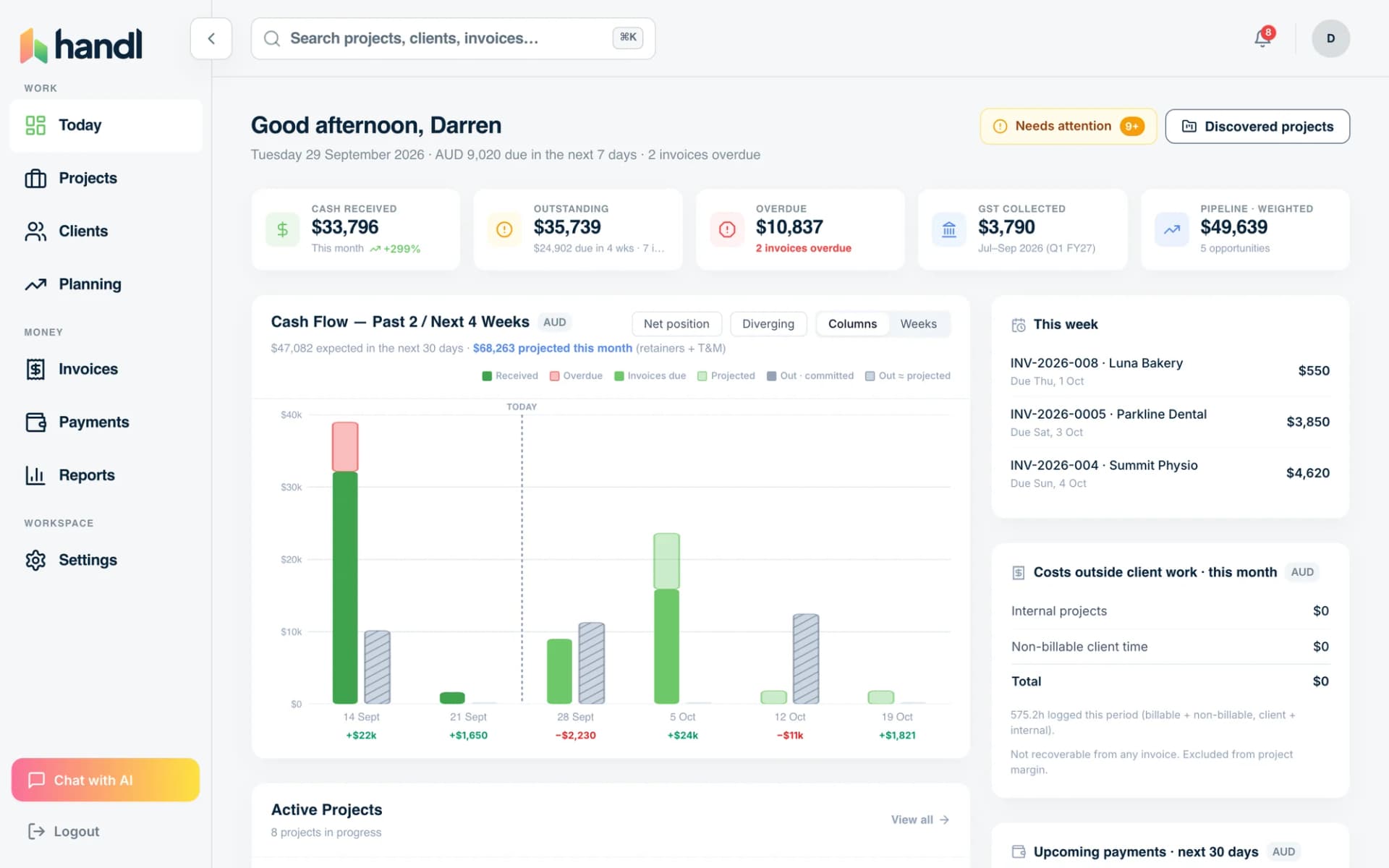
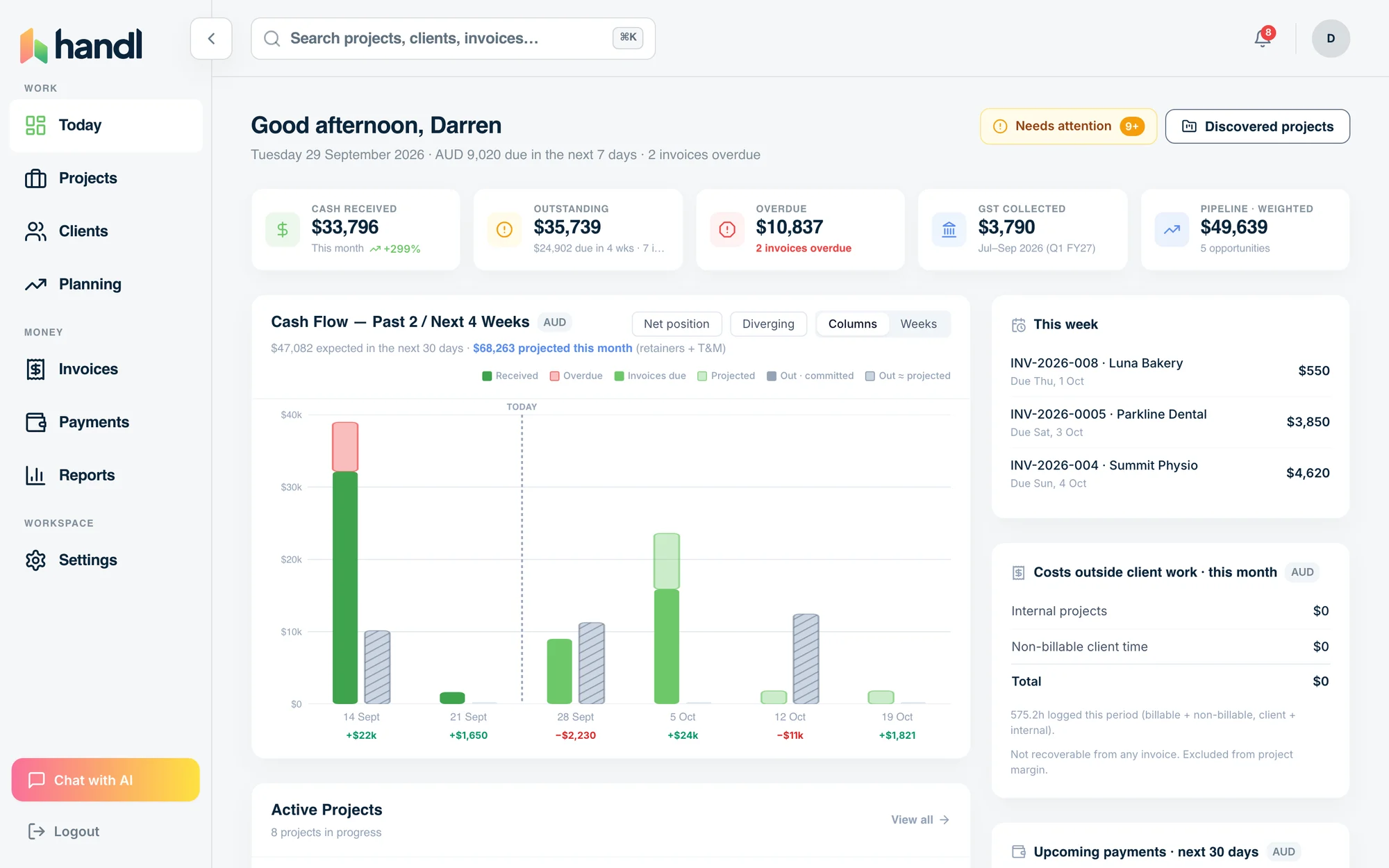
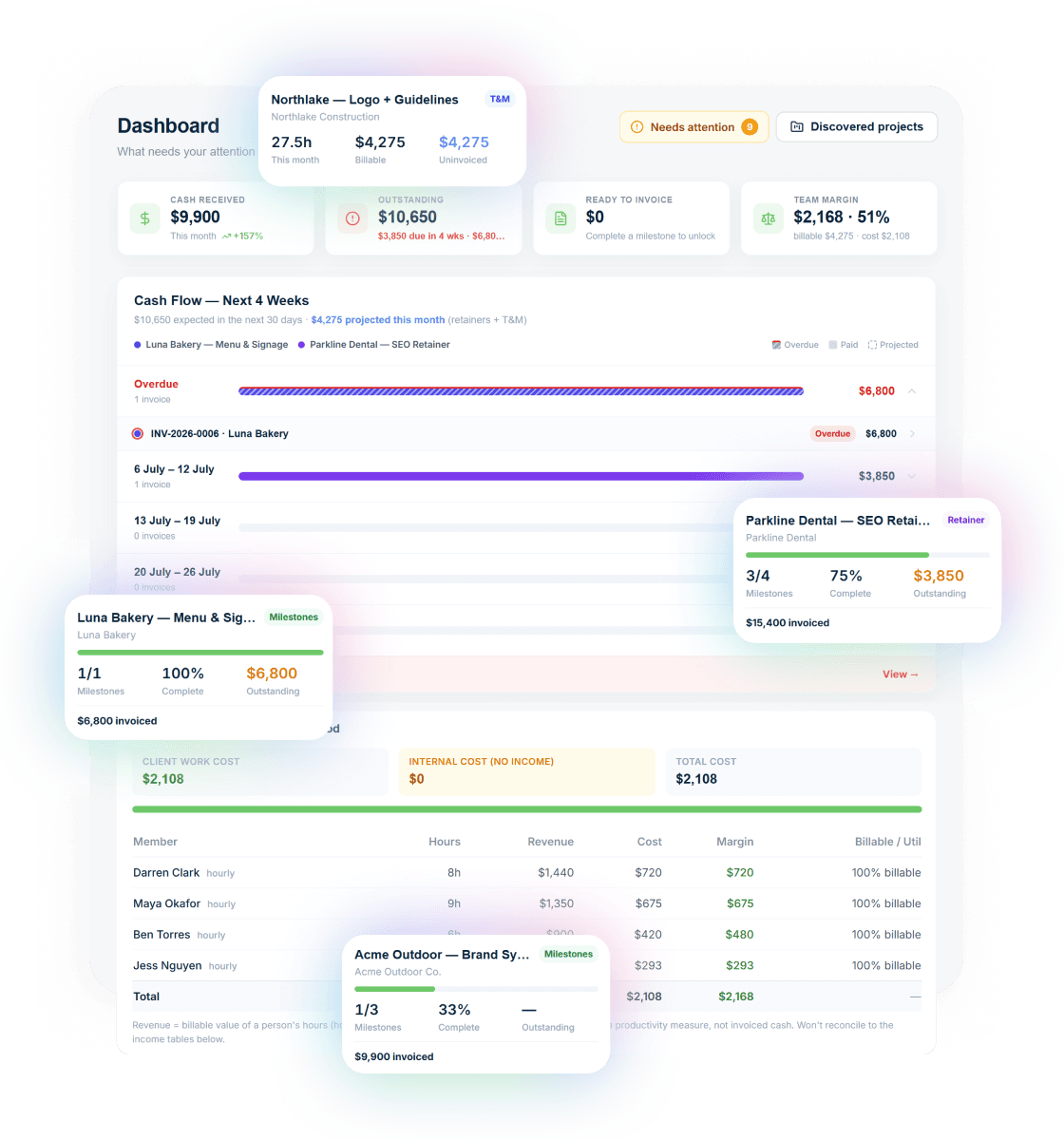
What you get with Handl
Including automated milestone billing and deliverables held until payment.
Ask your billing anything
Type “What’s overdue?” and the AI assistant answers with the client, the invoice and the amount — then switches on reminder cadences in one click.
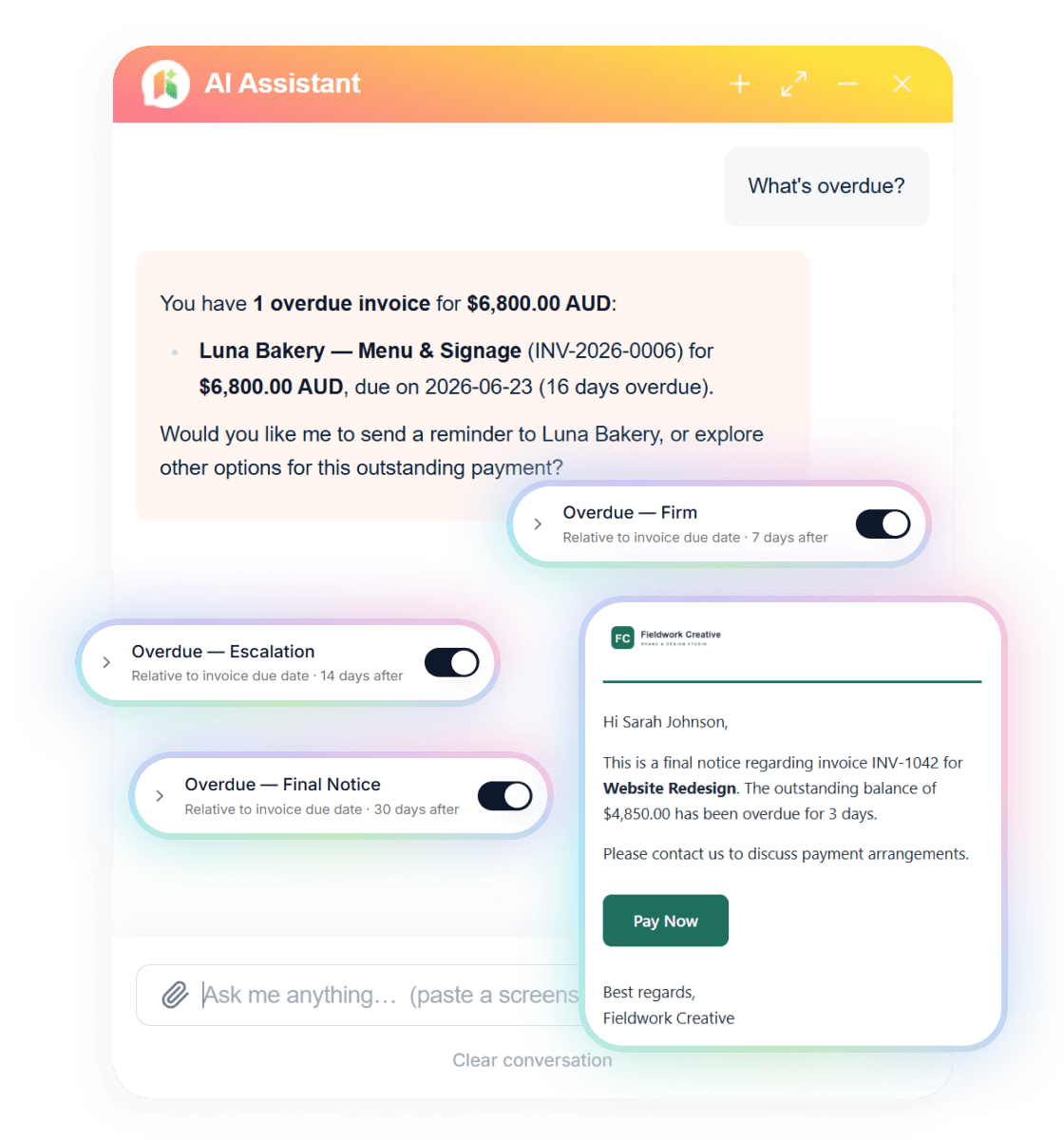
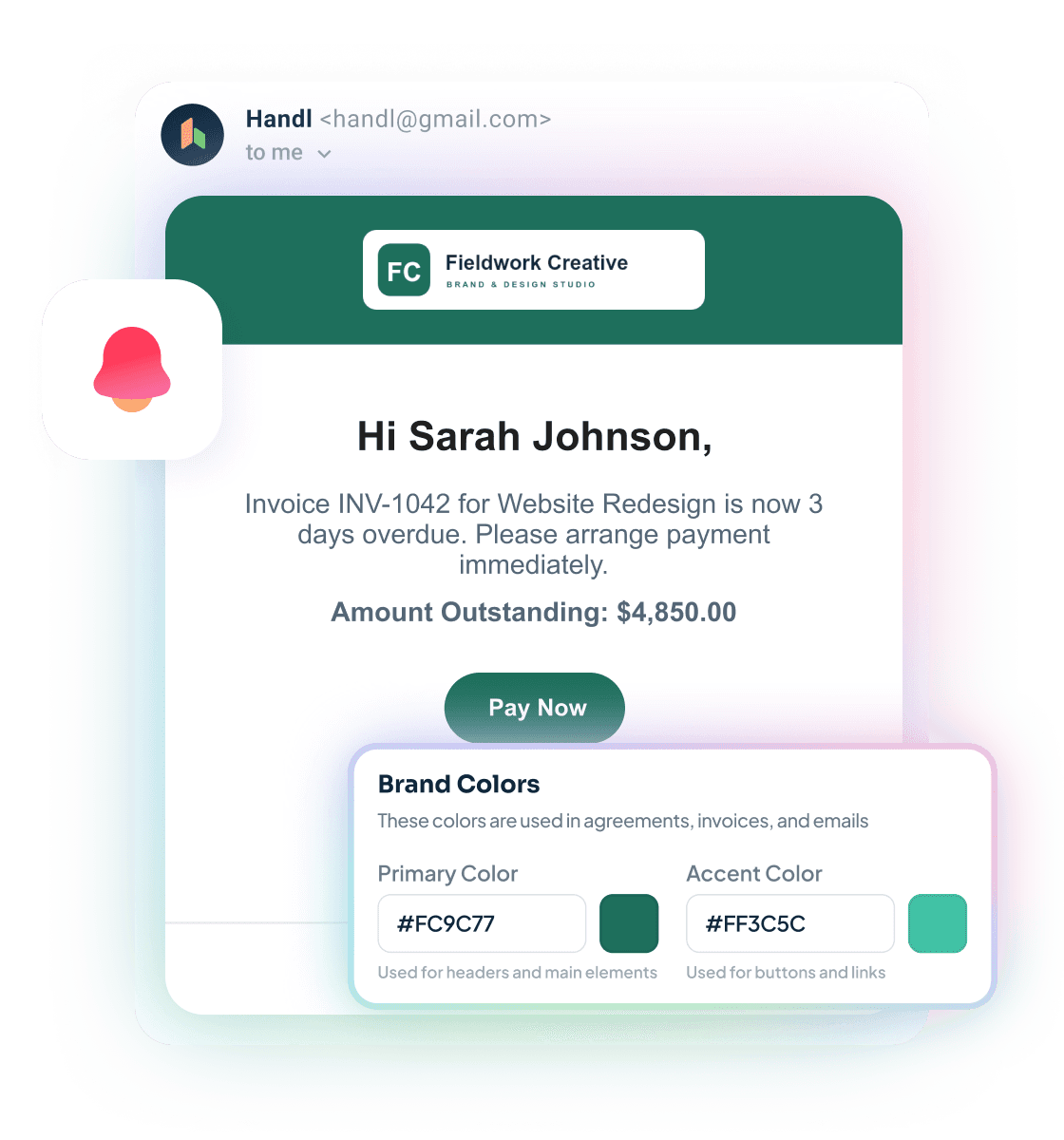
Reminders that send themselves
Branded emails escalate on your schedule — friendly nudge, firm follow-up, final notice — each with a Pay Now button. Clients see your brand, not ours.
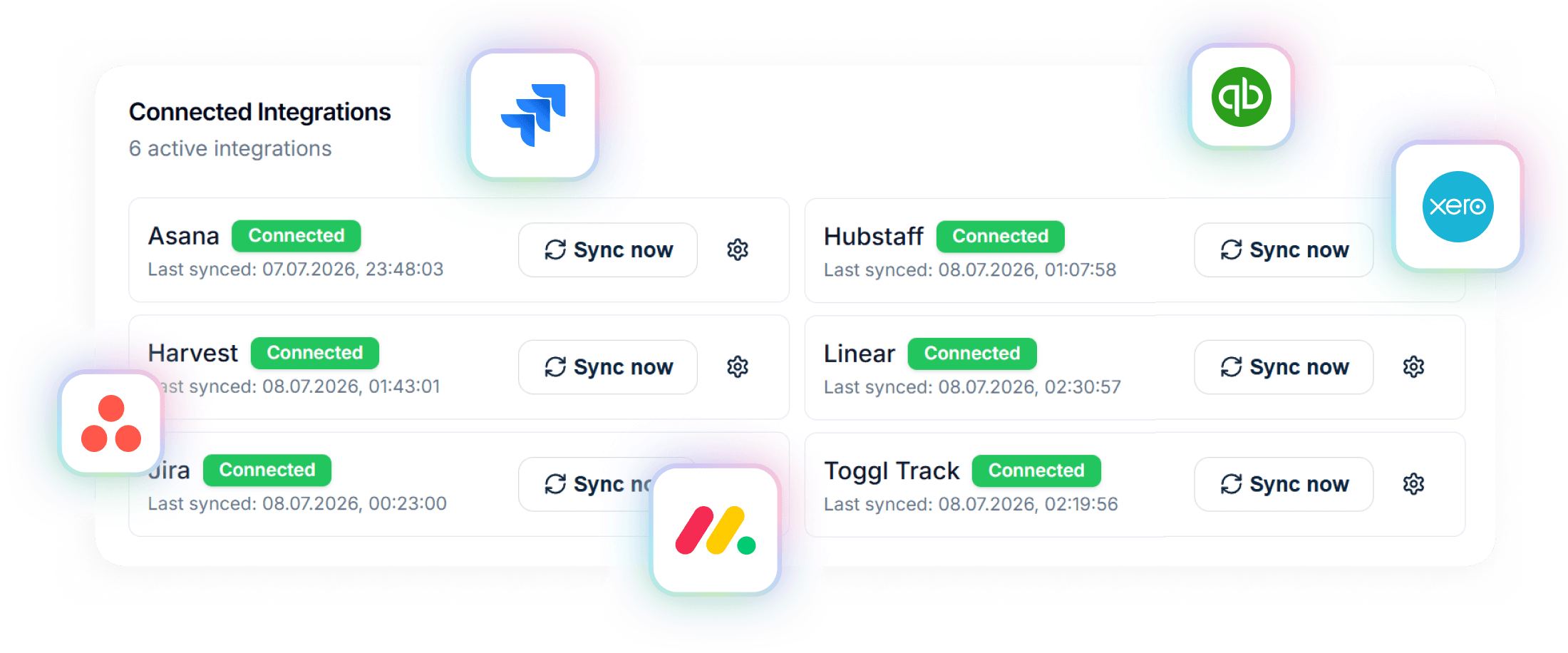
Connected to your stack
Project data in from Asana, Jira, Monday, Linear or ClickUp. Invoices out to Xero or QuickBooks. Time from Harvest, Hubstaff or Toggl.
A closer look at Cushion
Cushion is a niche tool that does one thing and does it well: it helps freelancers visualise their project pipeline and forecast upcoming income over time. The core value proposition is a timeline view of scheduled work and expected payments — so you can see three months ahead whether you're heading into a slow patch, and plan accordingly.
For freelancers managing a mix of ongoing retainers, project work, and sporadic new clients, that visibility is genuinely valuable. The feast-famine cycle is real, and Cushion gives you something most tools don't: a visual way to see it coming.
What Cushion doesn't do is equally important to understand. It's not an invoicing tool. It doesn't send invoices, process payments, or automate payment reminders. It doesn't have a client portal, proposal builder, or contract management. It's not integrated with PM tools. It's a planning and visualisation layer, not a billing engine.
That means Cushion is almost always used alongside another tool — whether that's FreshBooks, Wave, or something else — to handle the actual invoicing. The question is whether Cushion's planning layer is worth adding to your stack, and for which type of freelancer that makes sense.
Strengths
What are our strengths?
- Full billing platform — sends invoices, processes payments, automates reminders
- AI-driven payment reminders that actually chase late payments for you
- Milestone-based billing for complex project structures
- PM tool integrations connect billing to real project activity
- Xero integration for accounting handoff
- Project health scoring gives you early warning on at-risk projects
- Revenue forecasting built in — covers the planning angle too
- Plans from $29/month — the Agency tier is $199/mo with unlimited users, so no per-seat creep
- Purpose-built cash flow visualisation — genuinely best-in-class for this
- Visual project timeline is intuitive and calming to look at
- Helps freelancers plan capacity and avoid the dry-patch surprise
- Lower starting price at $10/month
- Simpler — does one thing really well without overwhelming you
- Good complement to any invoicing tool if you want the planning layer on top
Which one is for you?
When to choose each tool
If your primary problem is billing — getting invoices out, getting them paid, dealing with scope changes, and not spending mental energy on chasing clients — Handl is the right tool. It handles the full billing workflow from quote to payment, with AI-driven reminders that take the awkward "hey, just checking on that invoice" off your plate. The PM integrations mean billing is tied to actual project progress, not managed in a separate spreadsheet. And the revenue forecasting gives you visibility into upcoming income without needing a separate tool for it. If you're running more than a couple of active projects and late payments are a regular frustration, Handl is built precisely for that.
Cushion makes sense if cash flow visualisation and capacity planning are your primary pain point — not billing itself. If you already have an invoicing tool you're happy with, and your real problem is not knowing what the next three months look like financially, Cushion's timeline view fills that gap well. It's also worth considering if you're a solo freelancer who manages a mix of short and long projects and needs help deciding when to take on new work. Some freelancers use both — Cushion for planning, another tool for billing — and that's a legitimate stack.
Frequently asked questions
Can I use Handl and Cushion together?
Yes — they solve different problems. Use Cushion for schedule planning and availability forecasting. Use Handl for billing automation and payment collection. They complement each other well.
Does Cushion replace Handl?
No. Cushion is a scheduling and forecasting tool. It has minimal invoicing on higher plans, but it is not a billing automation platform. If you need milestone invoicing, payment reminders, or scope management, you need Handl.
Is Cushion good for agencies?
Cushion works for small agencies who need schedule visibility. The Agency plan at $42/month supports team scheduling. For billing needs, agencies typically need a dedicated tool like Handl.
Does Cushion have payment reminders?
No. Cushion does not chase payments. It focuses on scheduling and income forecasting. Payment automation is Handl's domain.
Which is better value?
Different tools, different value. Cushion at $8/month solves scheduling. Handl at $29/month solves billing. If billing is costing you more time and money than scheduling, Handl has the better ROI.
The verdict
This is a rare case in software comparisons where the two tools don't really compete — they solve different problems. Cushion answers "what does my income look like over the next few months?" Handl answers "how do I make sure that income actually arrives?"
If you could only pick one, pick the billing tool first. You can plan all you like, but if invoices are late, disputed, or being chased manually, the plan doesn't hold. Handl covers the execution layer — quotes, milestones, reminders, payments, scope management — and includes revenue forecasting so you're not completely flying blind on the planning side.
Cushion is a genuine complement if you want richer planning visualisation. But it's not a billing platform, and it's worth being clear on that before you sign up.


Reclaim your time
Stop being your own debt collector.
Get paid faster with automated invoicing and reminders.