GST & tax set-aside reminders
Never spend the GST by accident.
Every payment that lands, Handl tells you exactly how much of it isn't yours — so tax time is boring instead of terrifying.
The problem
The problem isn't maths. It's timing.
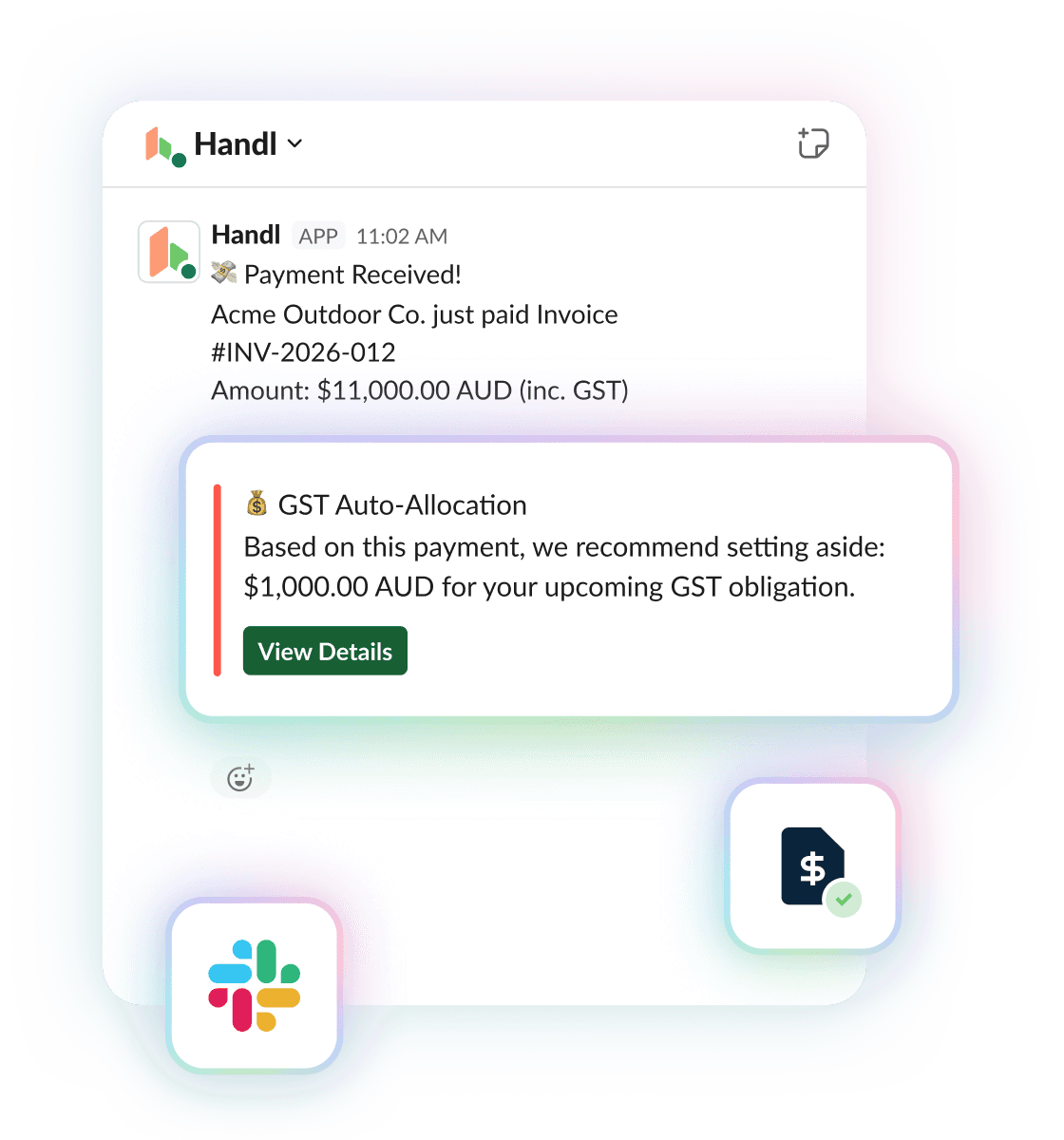
That $11,000 that just hit your account feels great. Except $1,000 of it was never yours — that’s the GST you collected for the tax office.
You know this. Everyone knows this. And yet every quarter, thousands of freelancers and agencies open their BAS and go “…oh no.” Because the tax money didn’t sit in a neat pile. It got absorbed into rent, subscriptions, a contractor invoice, that one quiet month.
Handl fixes the actual problem — which isn’t maths, it’s timing. The only moment you’ll ever move tax money aside is the moment you get paid. So that’s exactly when Handl taps you on the shoulder.
How it works
How it works
A client pays you.
Payment lands through Handl (Stripe rails). Nothing new to do — this already happens.
Handl does the maths on that exact payment.
Not a rough “10% of everything” guess. It reads the actual tax on the actual invoice and works out that payment's share. Client part-pays? The set-aside amount is proportional. Custom tax rate on a project? Uses that.
You get the nudge, wherever you live.
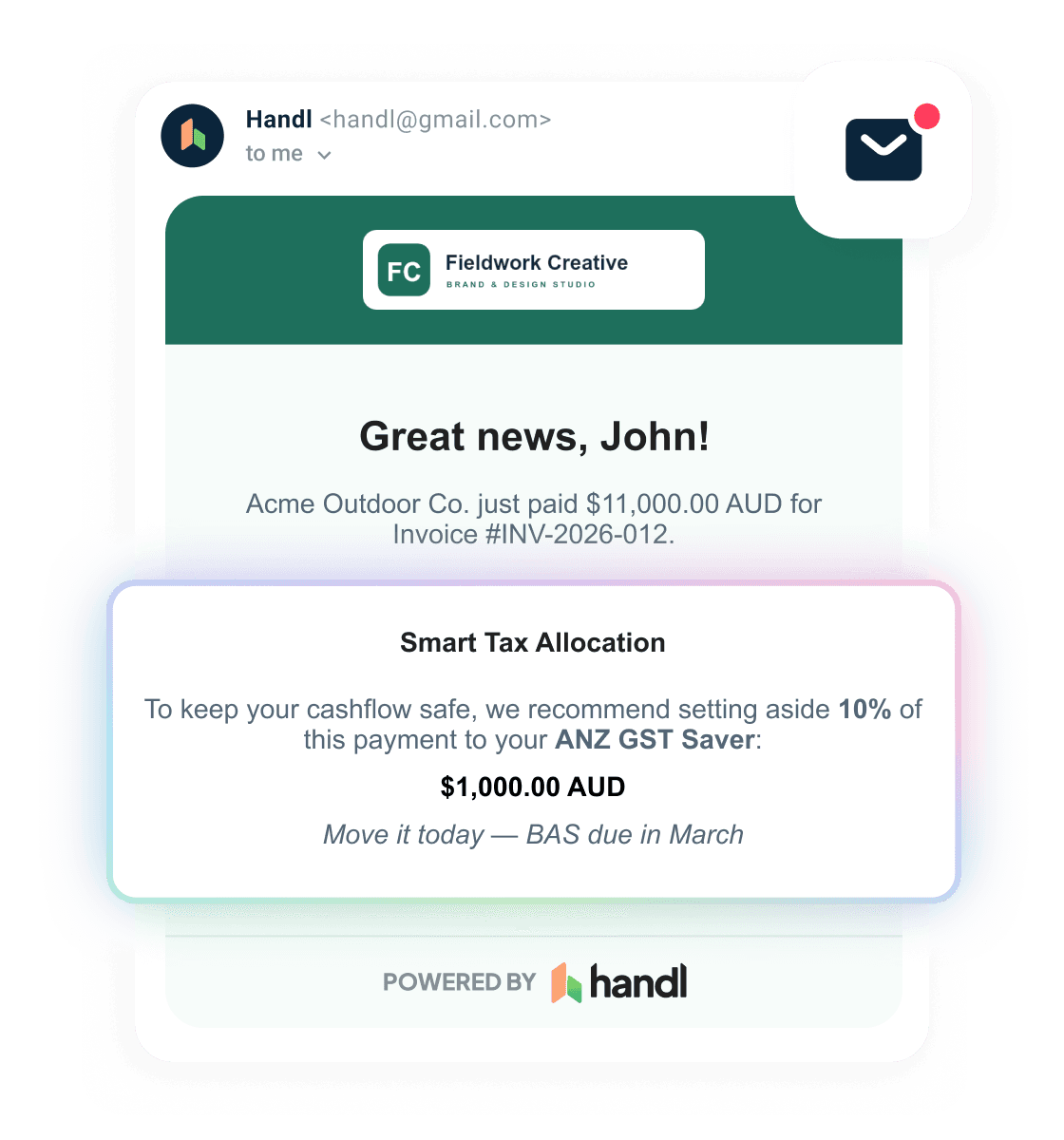
Email, in-app, Slack — your pick, any combo. “Put $1,000 aside for GST. Transfer it now and BAS day stays boring.”
Your daily digest keeps the running score.
“$8,400 collected this quarter.” No spreadsheet. No surprise in October.
“One rule, set once, fires forever. You’ll never think about it again until the day it saves you.”
Locale-aware
The reminder speaks your tax system
Same rule, different wording depending on where your agency is based. Australian agencies get “BAS day stays boring.” US agencies get “filing day is painless.” Everywhere else, the reminder sticks to neutral tax language — no assumptions about your tax system.
Zero setup
Already set up before you ask
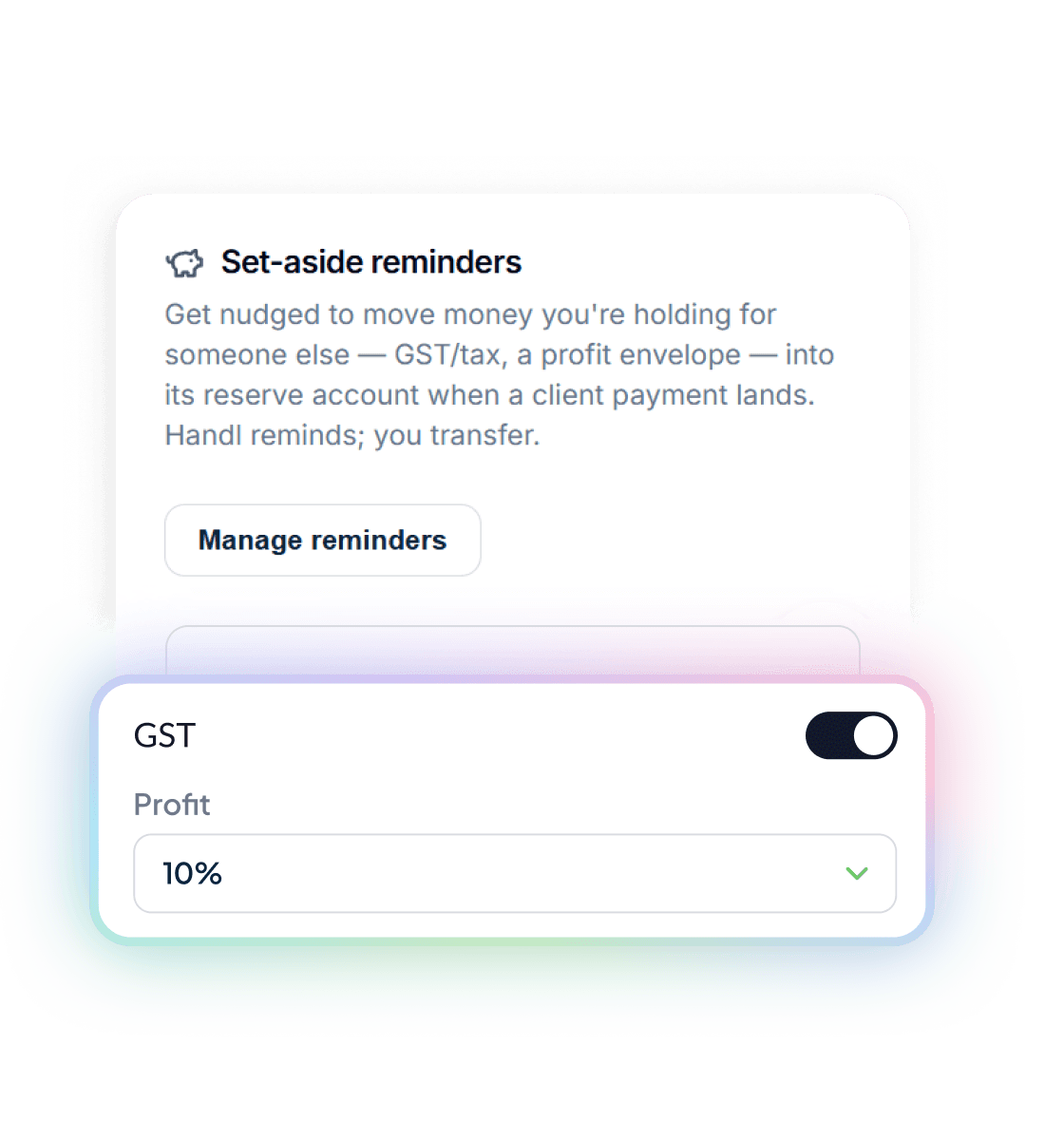
If you’ve told Handl your tax rate — GST, VAT, sales tax, whatever you charge — your set-aside reminder is created for you automatically. On by default, off in one click.
Presets for GST (Australia, NZ, Canada, Singapore), VAT (UK), or any custom label and rate. If you invoice with tax, this works. For the full breakdown of what to put aside and when, read the full GST set-aside guide.
Beyond tax
Not just tax. Pay yourself first.
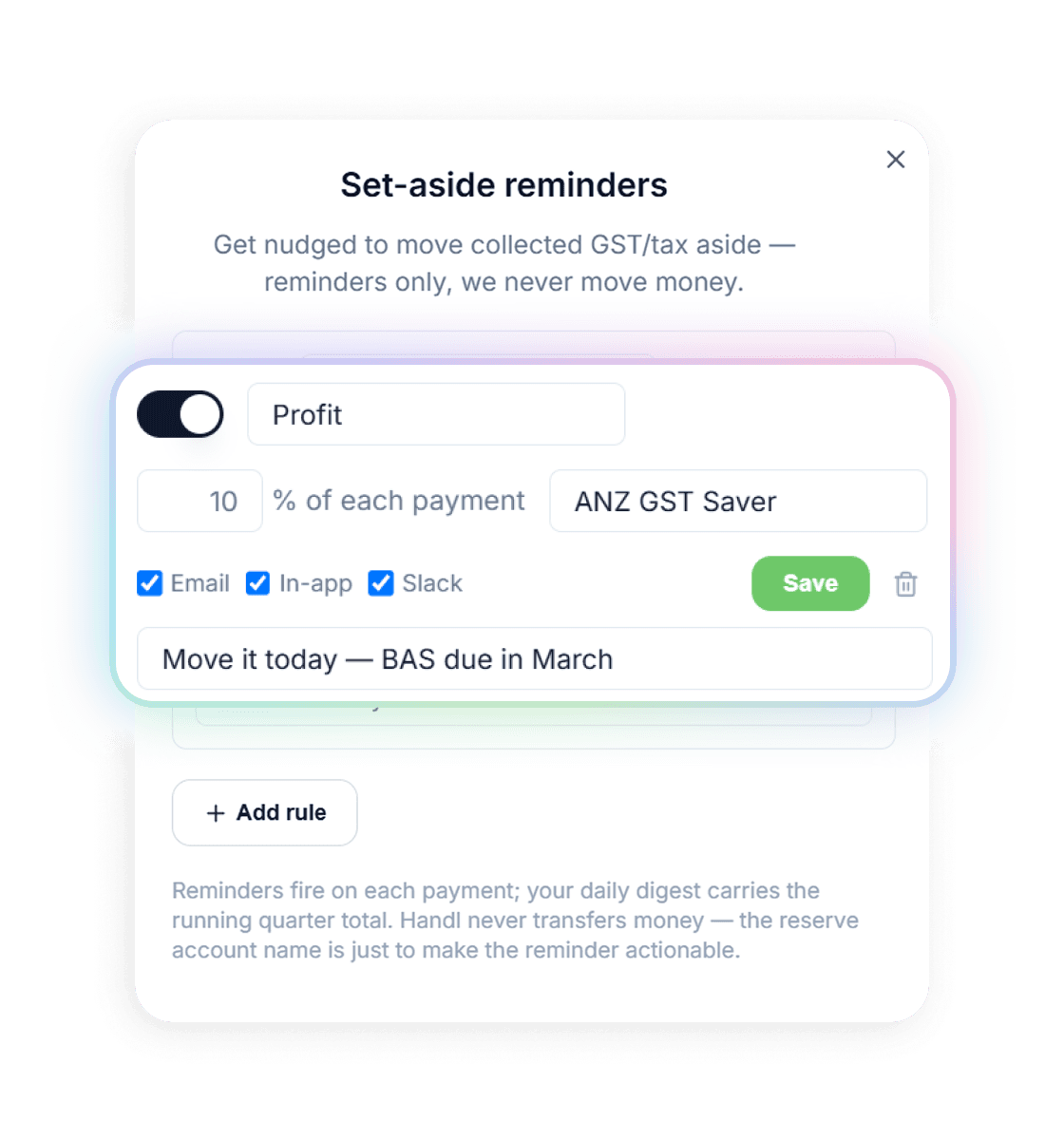
Here’s where it gets good. The same engine runs any percentage rule you want, off the gross of every payment. Run Profit First? Add a “Profit — 10%” rule. Saving for a new machine, a hire, your own wage in the quiet months? Make an envelope for it. Every rule gets its own label, its own percentage, its own reminder. You can even nickname the account it should go to — “ANZ GST Saver” — and add your own note that rides on top of every reminder: “Move it today. BAS is due in March.” Future you, nagging present you. It works.
Any percentage of gross, 0–100
As many rules as you want — GST + profit + wage buffer, all at once
Each rule picks its own channels: email, in-app bell, Slack
Custom note on every reminder, in your words
How we’re different
We remind. You transfer.
Straight up: Handl never moves your money. Not into a sub-account, not into a “vault,” not anywhere. That’s deliberate. The moment software starts moving your money around, you’ve handed over control of your payout rails to someone else — and we think that’s your job, not ours. Handl works out the amount, tells you the second it matters, and keeps the running total. The transfer takes you ten seconds in your banking app. You stay in control. We just make sure you never forget.
The reserve account name in your rule is a label to make the reminder actionable — not a linked account. Your bank stays your bank.
Common questions
Does Handl actually transfer the money for me?
Is this what I owe the tax office?
What if a client only part-pays an invoice?
Can I use it for things that aren't tax?
Where do the reminders show up?
How long does setup take?
Don’t lose a chunk of it to a BAS surprise.
You’ve done the work. You’ve chased the invoice. You’ve been paid.
GDPR compliant · PCI DSS · Hosted in Australia
Free tools
Take something with you
Free 13-week cash flow forecast
Money in by expected pay date, money out by due date, tax set aside, and a running balance that goes red before it goes to zero.
Get it free
Reclaim your time
Stop being your own debt collector.
Get paid faster with automated invoicing and reminders.