Free template
Change request form: turn “can you just...” into a yes, a price and a date
A change request is a one-page form that records what a client asked for outside the agreed scope, what it costs, who signs and how it's billed. Free Word template with agency examples.
Scope arguments rarely start with a big ask. They start with “can you just...” in a Slack message, and nobody writes down what it cost.
This form is the page that sits between the ask and the work. Send it before anything starts, get a signature, and the extra work stops being a favour.
What’s inside
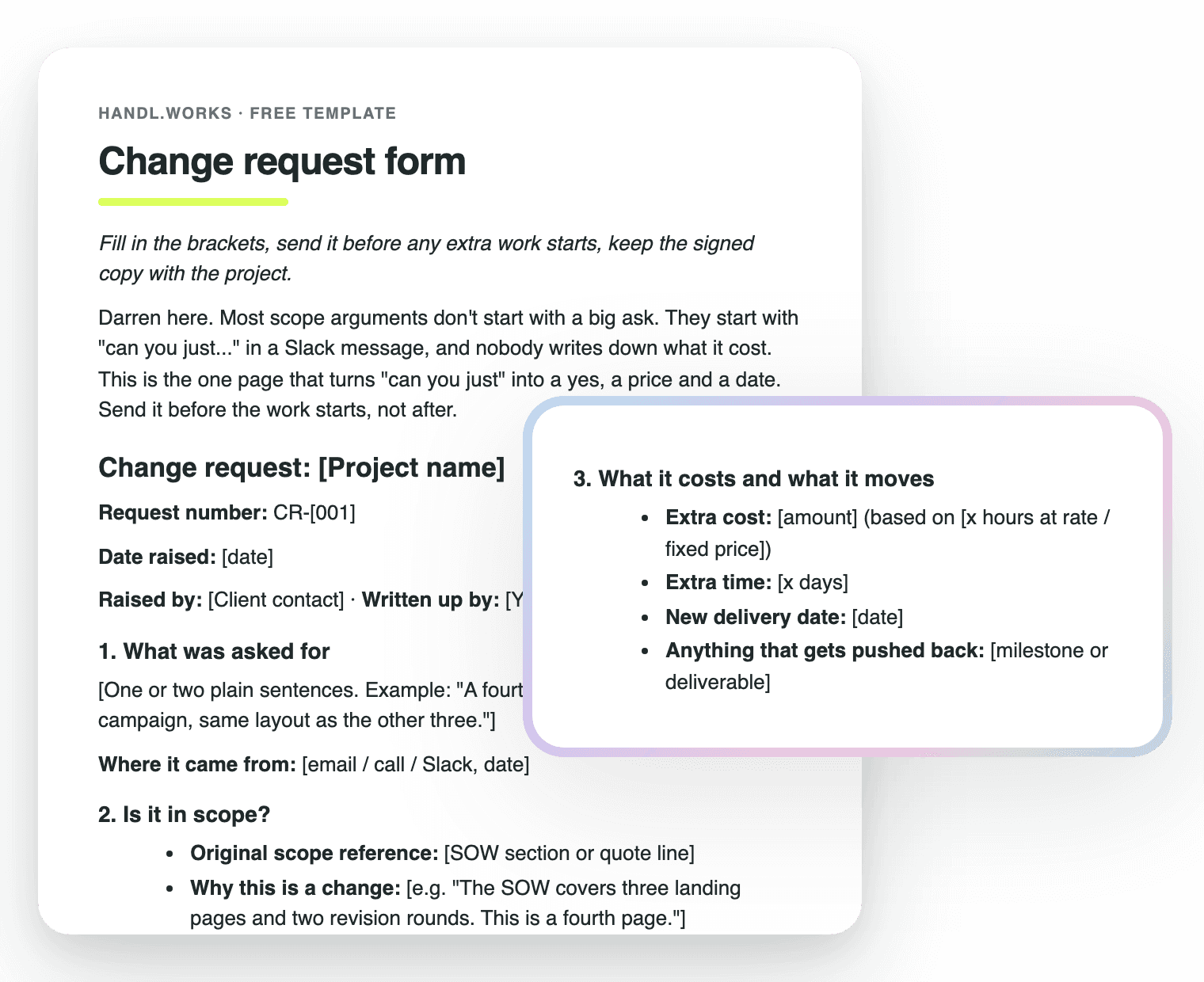
What was asked for
One or two plain sentences, and where the ask came from: email, call or Slack.
Why it's a change
The SOW section or quote line it sits outside of, so there's no debate about scope.
Cost and new date
The extra cost, the extra days, the new delivery date and what gets pushed back.
How it gets billed
On the next invoice, as its own invoice, or inside a milestone. Pick one.
Sign-off
Nothing starts until both sides have approved it in writing.
Three agency examples
An extra landing page, another revision round and a new deliverable, with the wording filled in.
Change request questions, answered
What is a change request?
A change request is a written ask to change the agreed scope, price or timeline of a project. For an agency that usually means the client wants something that isn't in the SOW: an extra page, another round of revisions, a new deliverable.
The point of writing it down is that the cost and the new date are agreed before the work starts, not argued about after.
What triggers a change request?
Anything that isn't in the scope you both signed. The usual suspects are an extra landing page, a revision round beyond the number in the SOW, a new deliverable, or a different feature or channel halfway through.
A good test: if you'd have quoted it separately at the start, it's a change request. The clearer the SOW is about what's out of scope, the easier that call gets.
What goes on a change request form?
Six things: what was asked for, where the ask came from, why it's outside scope, the extra cost, the extra time and new delivery date, and how it will be billed. Then a place for both sides to sign.
Keep it to one page. If it needs two, it's probably a new project.
Who signs a change request?
The person who signed the original SOW or quote, or whoever on the client side has the authority to approve spend. Your side signs too, so it's clear you agreed the price and the date.
An email reply saying “yes, approved” is fine if the client doesn't do signatures. Just keep it with the project.
How does a change request become a line on the next invoice?
Pick the billing route on the form: a line on the next invoice, its own invoice on a date, or part of a milestone. Once it's approved, the amount and the date are already decided, so whoever raises the invoice copies them across.
In Handl you can send a change as a quote on the same project while it's running, and the project stays active while the client decides.
How do you handle scope creep?
Say yes to the work and no to the free part. When the ask comes in, reply with the change request instead of an argument: here's what it costs, here's the new date, sign here and we start.
Do it every time, even for the small stuff. The first one is awkward. By the third, clients start asking for the form themselves.
Worth knowing
Send it before the work, not after
Free download
Get it free
Drop your email and the form lands in your inbox as a Word file (opens in Google Docs too). The download link is on screen as well, so you're not waiting on email.
A working draft, not legal advice. Have your solicitor look it over for your jurisdiction.

Reclaim your time
Stop being your own debt collector.
Get paid faster with automated invoicing and reminders.