Free template
What should you actually be charging?
Most rate cards are a guess that hasn't been checked in two years. This sheet works it out from what your people cost, then shows you the rate you really got.
A rate card usually starts as a number that felt right, nudged up a bit each year. It rarely starts from what an hour of a designer’s time actually costs you once super, leave, software and the unbillable half of the week are in. So the card can be under cost and nobody knows.
This workbook works the rate out from the cost side, at the margin you want, per role and blended. Then it does the part nobody does: it takes a finished project, the fee and the hours, and shows you the rate you really got against the one on the card.
What’s inside
Start here
How to use it in six lines, and the one caveat that matters.
Roles
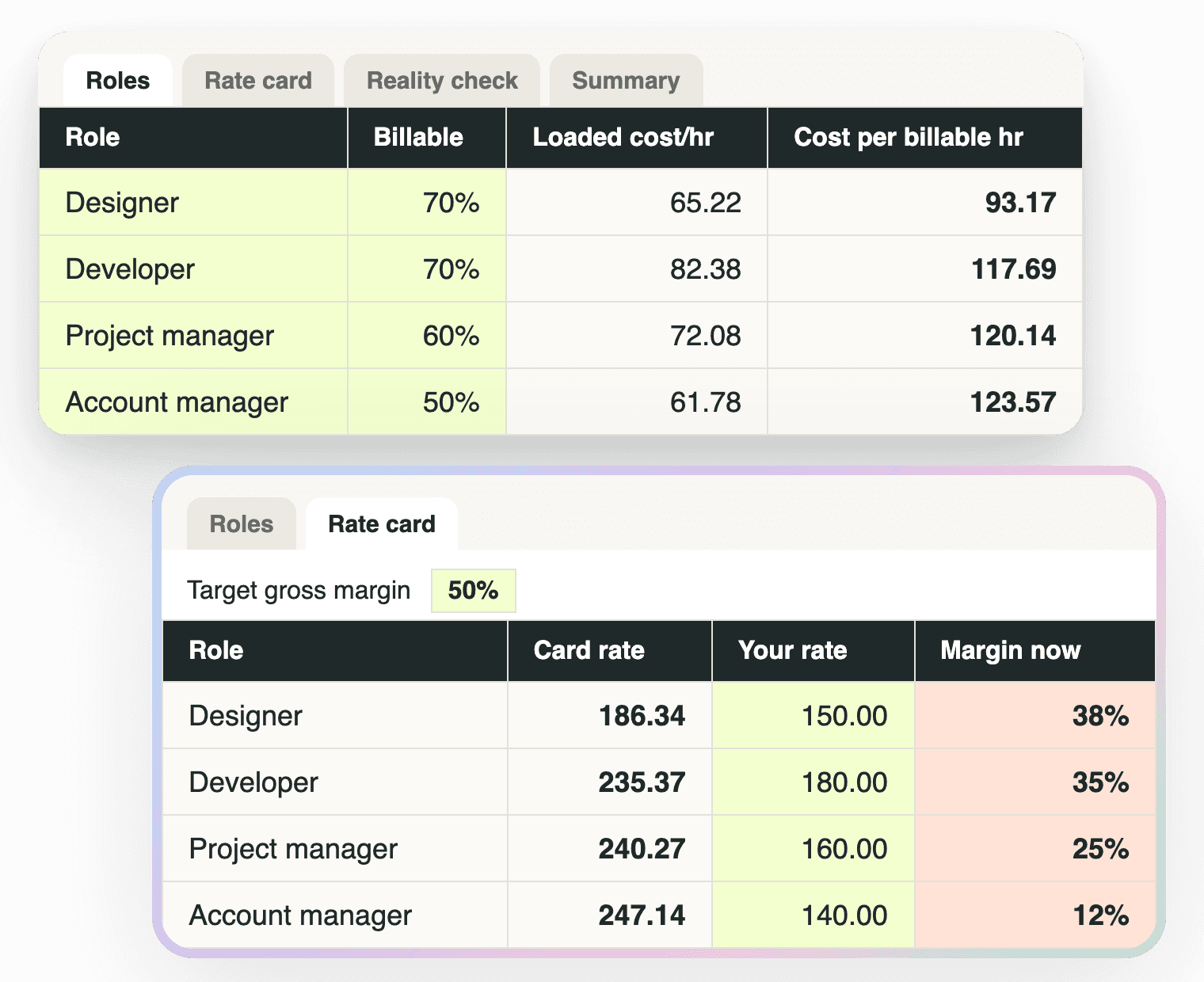
Up to ten roles: salary, day rate or hourly, on-costs, paid weeks, hours a week and billable target. You get the fully loaded hourly cost and the cost per billable hour, which is the number a rate has to clear.
Rate card
One cell for your target margin. Card rate per role is cost per billable hour ÷ (1 − margin), with a blended rate weighted by your planned hours mix. Put your current rate next to it: red means it's below cost.
Reality check
One row per finished project: quoted fee and hours by role. Cost, effective hourly rate, gross margin, and the gap between the card rate and the rate you realised. Three example rows to show how it works.
Summary
Card rate vs realised rate per role, the agency blend, and the one number: the gap between the rate you quote and the rate you realise, in dollars per hour and dollars left on the table.
The same numbers, live
The sheet is the manual version
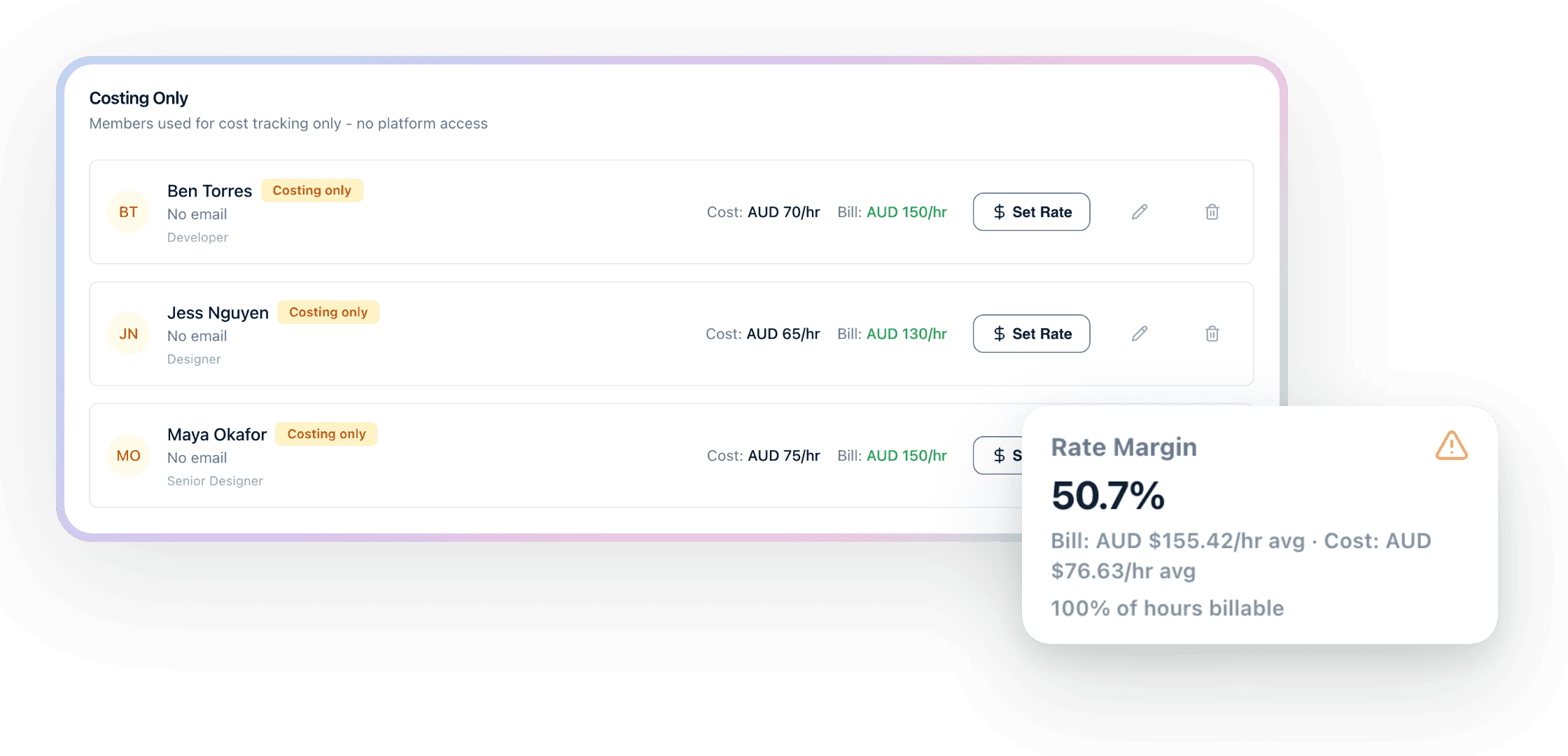
In Handl every person carries a cost rate and a bill rate, per role and per project if you need it, with effective dates. Log time against a project and the margin updates on its own, so “are we actually getting the card rate?” is a card on the project page, not a spreadsheet you rebuild each quarter.
Start with the sheet. When you’re tired of keeping it up to date, the rates are already waiting in Handl.
Worth knowing
Not accounting advice
The sheet does the arithmetic. It won’t replace your accountant, and the on-costs percentage is the one number worth asking them for. The four roles are placeholders, not benchmarks: replace them with yours before you read anything into the rates.
Handl stores cost and billable rates per person and per role, so the margin on every project updates as time is logged. For the thinking behind the sheet, read the agency project profitability guide.
Free download
Get it free
Drop your email and the calculator lands in your inbox. The download link is on screen too, so you're not waiting on email.
Want the number first? Try the project margin calculator, no sign-up.
Not accounting advice, and it won't replace your accountant. It'll tell you which rate to look harder at.

Reclaim your time
Stop being your own debt collector.
Get paid faster with automated invoicing and reminders.