INVOICE AUTOMATION
You set the rules. The work pulls the trigger.
Stop building invoices. Start approving them.
A ticket closes, a week ends, a retainer comes round, a project starts. Handl drafts the right invoice each time, with the detail on it.
Free for 7 days, then flat plans from $29/mo.
- Drafted from the work
- Detail on every line
- Off-by-default auto-send
- Drafted from the work
- Detail on every line
- Off-by-default auto-send
Questions this page answers
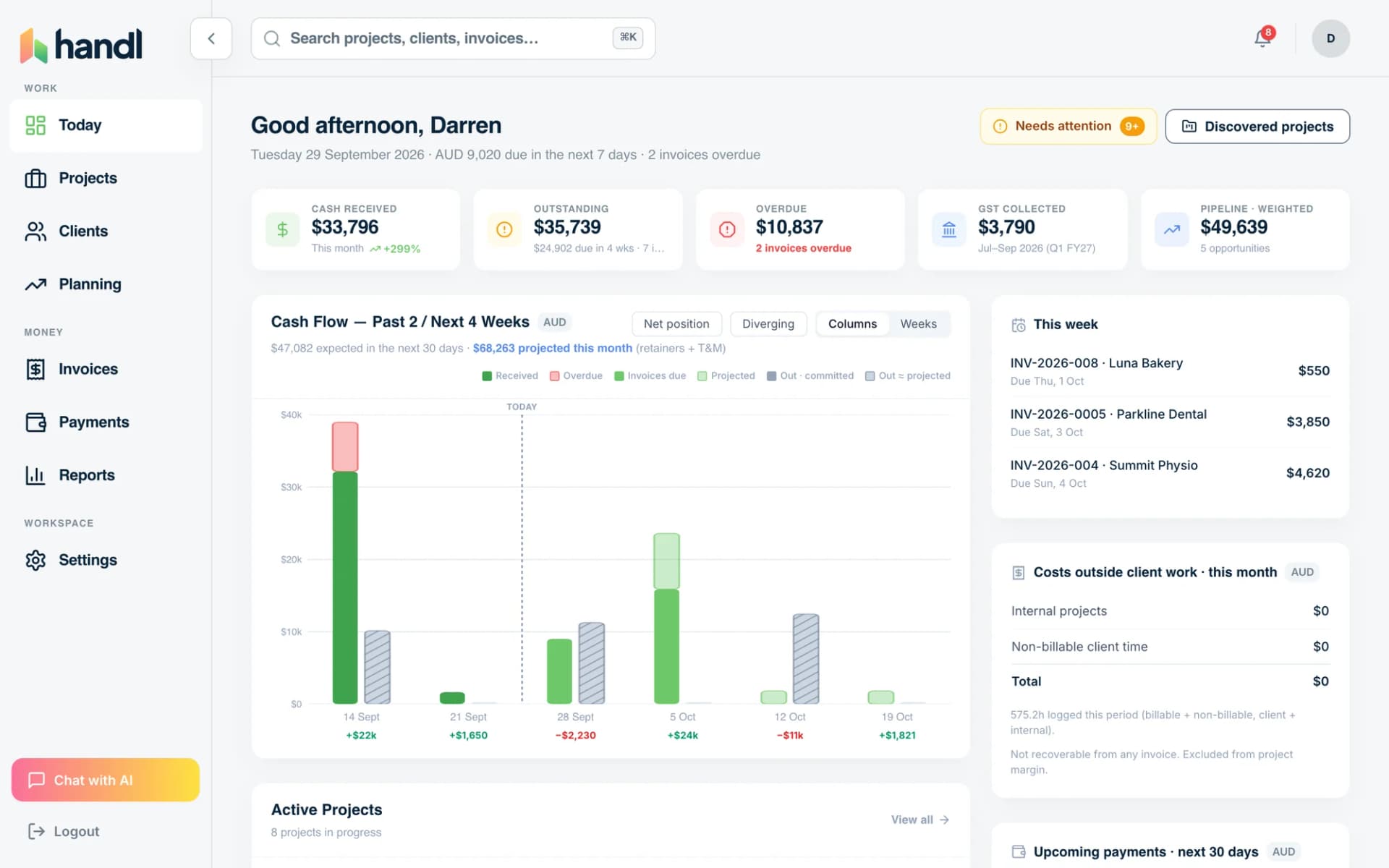
- Which invoices are due this week?
- Did the deposit invoice get drafted when they signed?
- Why am I typing these lines in again?
How it runs
- Four trigger rows: a milestone, a date, a cycle and a hand, with the first picked in lime.
Pick the trigger.
Project starts, milestone starts or completes, a date, or on demand.
- A lime Handl tile producing a draft invoice with the work it covers attached behind it.
Handl drafts.
Priced at your rates, with the work it covers attached.
- A Send button beside an auto-send toggle switched on.
You send, or let it.
Recurring invoices can send themselves when you switch it on.
Try it, no sign-up
Unbilled hours calculator
How much billable work never made it onto an invoice, and what that costs a year. Result on the page, no sign-up.
Open the calculatorWhat you get
- Last ticket closes in LinearThen: Milestone invoice drafted$18,000
- The week endsThen: Hourly invoice drafted from 64.5 unbilled hours$9,675
- Retainer cycle comes roundThen: Retainer drafted, last cycle's overage added$4,400
- Budget hits 80%Then: You get a heads-up before it's over
- Drafted from the work
- Three triggers, three drafts
- Nothing sends until you press it
Questions people ask first
Do I have to leave QuickBooks or Xero?
No. Invoices push straight into them. Your accountant doesn't change a thing.
Will it invoice without me?
Never for milestones. Handl drafts, you confirm and send.
What if rates changed mid-project?
Each entry keeps the rate that applied when it was logged.
What about unused hours?
Choose per retainer: reset each cycle, or roll over with a cap.
Does my team have to change tools?
No. Jira, Linear, Asana, Monday, ClickUp, Toggl, Harvest, Clockify, Hubstaff all connect.
How much setup is it?
Connect your tools in a few clicks. Handl finds your projects and you import them.
Between your PM tool and your books
Handl is the connection between the tools you already use.
- Not a project management tool.
- Not an accounting platform.
- Not an all-in-one agency OS.
- Reads the work from your PM and timesheet tools.
- Drafts the invoice. You press send.
- Pushes it to QuickBooks or Xero. Your books stay reconciled.
Nothing to migrate. Your team keeps working where they work. Your accountant keeps QuickBooks or Xero.
Integrations
Works with the tools you already run.
Monday, Asana, Jira, ClickUp and Linear for the work. QuickBooks or Xero for the books. Stripe for the payments.


See how QuickBooks and Xero connect. Paying contractors? Pay them from your own Wise or Airwallex balance.
How it works
The invoice lifecycle, on autopilot
Work approved, invoice drafted.
The client signs a quote and the deposit invoice is drafted. A milestone gets marked complete and the invoice for it is drafted. No blank invoice screen, ever.
The hours fill themselves in.
Tracked time syncs from Harvest, Toggl, Clockify or Hubstaff and becomes time & materials invoice lines. The invoice matches the work, not your memory of it.
Paying is one click.
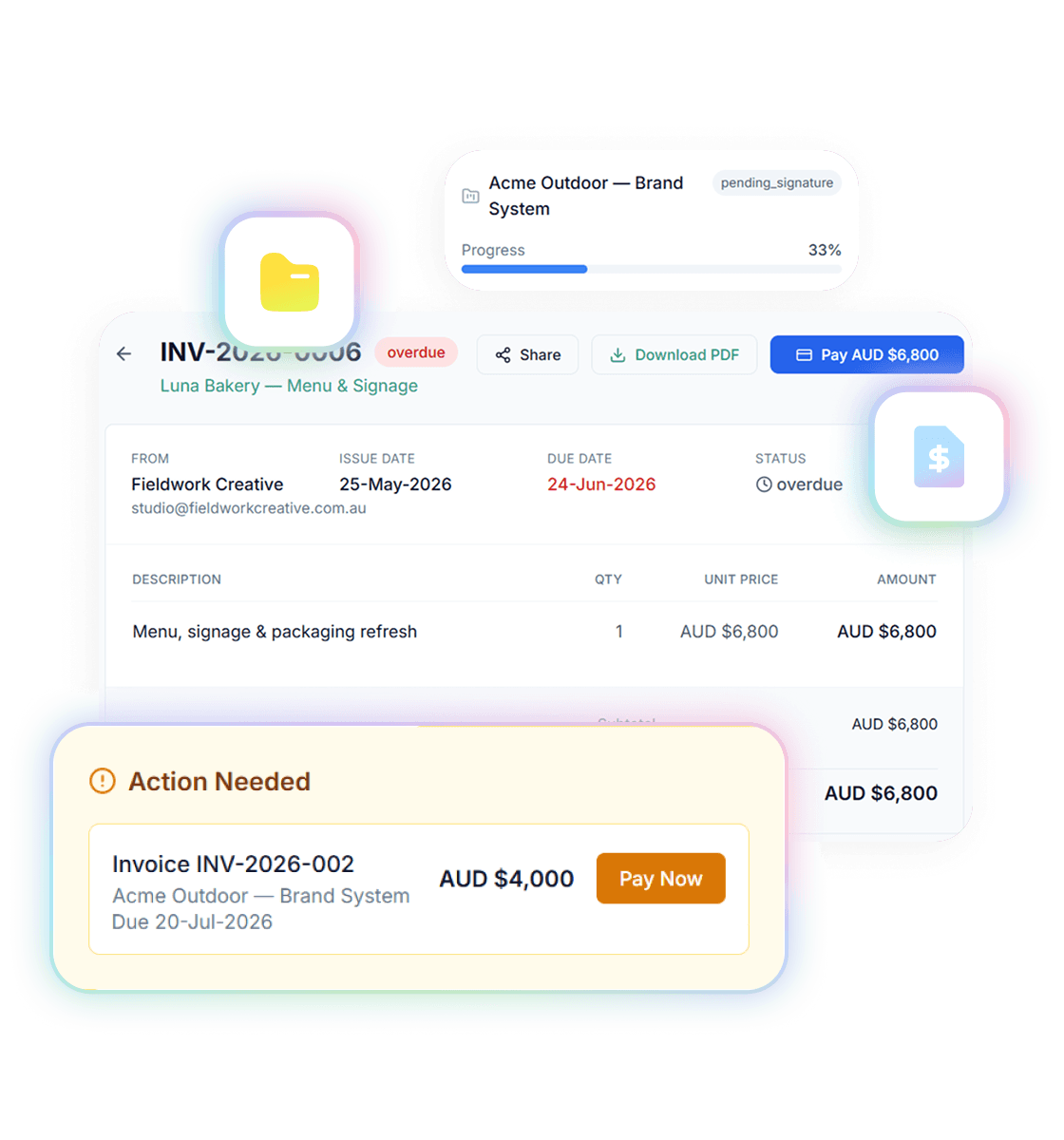
Every invoice carries a pay-now link in the client's portal. Clients who opt in to auto-pay have their saved card charged when the invoice is due.
The client side
Automation your clients actually like
Automated invoicing usually gets sold on what it saves you. The quiet win is what it does for your clients: a portal where they can see every invoice, what it’s for, and pay it in one click — instead of a PDF buried in an inbox and a “how do I pay this?” reply.
Ask, don’t dig
Billing questions, answered in English
Handl’s AI assistant sits on top of your real billing data. Ask “which invoices are due this week?” or “who owes me money?” and get the actual answer — then have it draft the invoice, inside limits you control. It’s the difference between software that stores your invoices and software that runs your invoicing.
Pricing
From $29/mo. Three plans, no per-seat math.
Solo is $29 for one person, Team is $99 for up to 3 people, and Agency is $199 with unlimited users on the Agency plan. 7-day free trial on every plan.
See full pricingCommon questions
What does automated invoicing software actually do?
Does Handl really create invoices without me?
Do reminders go out?
Can clients be charged automatically?
Where do the invoice line items come from on hourly work?
What can the AI assistant do?

Reclaim your time
Stop building invoices. Start approving them.
Set the rules once. The work pulls the trigger, Handl drafts, you press send.