For agencies that bill three ways at once
Invoices that build themselves
from milestones, hours and retainers.
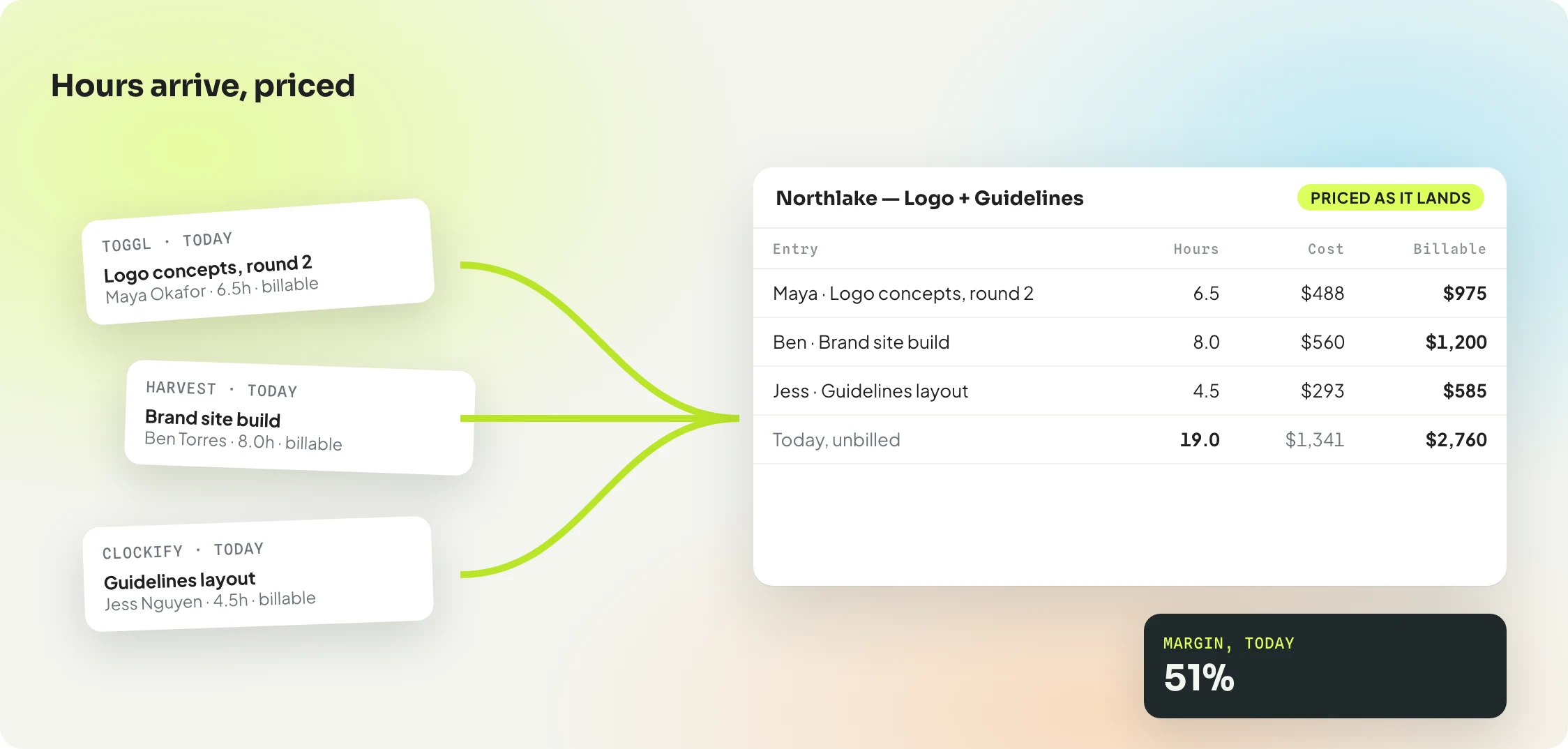
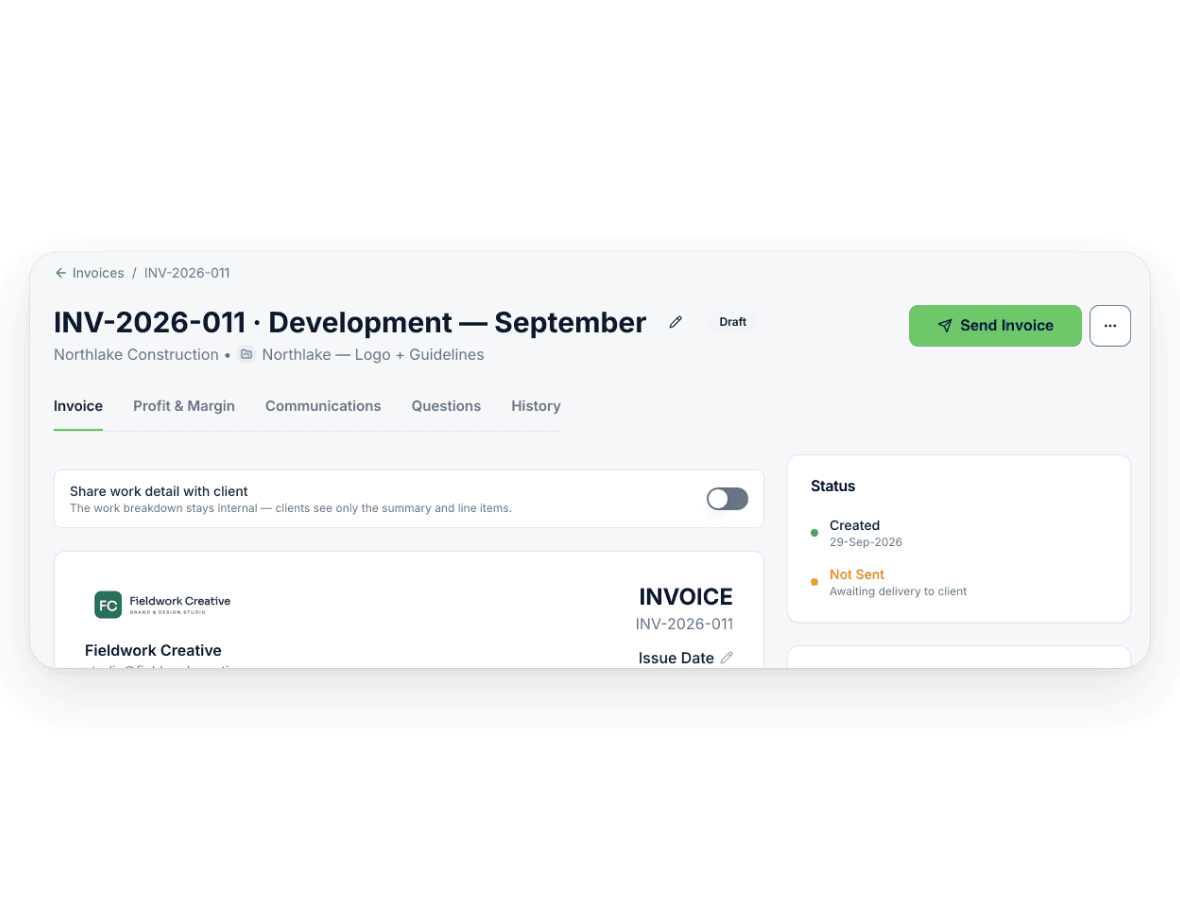
Handl reads the work from your PM and timesheet tools, prices every line at your rates, and drafts the invoice when a milestone closes, the month ends or the retainer comes round. It only sends when you tell it to. Your books stay in Xero or QuickBooks.
from $29/mo · 7-day free trial · for 2–20 person agencies on Xero or QuickBooks
Month end, the manual way
Billing three ways at once is where things get missed.
Retainers, hourly work and milestones, often in the same month. By hand it’s slow, and every month something slips through unbilled.
- Why am I re-keying every line into QuickBooks?
- Has anyone exported the Toggl hours yet?
- Which tickets actually shipped this month?
- Is this client hourly, milestone or retainer?
- Rates changed mid-project… which one applies?
- Did last month’s extra hours get billed?
- Did we invoice Acme this month?
- Is this project even making money?
Between your PM tool and your books
Handl is the connection between the tools you already use.
- Not a project management tool.
- Not an accounting platform.
- Not an all-in-one agency OS.
- Reads the work from your PM and timesheet tools.
- Drafts the invoice. You press send.
- Pushes it to Xero or QuickBooks. Pulls the payment back.
Nothing to migrate. Your team keeps working where they work. Your accountant keeps Xero or QuickBooks.
How it runs
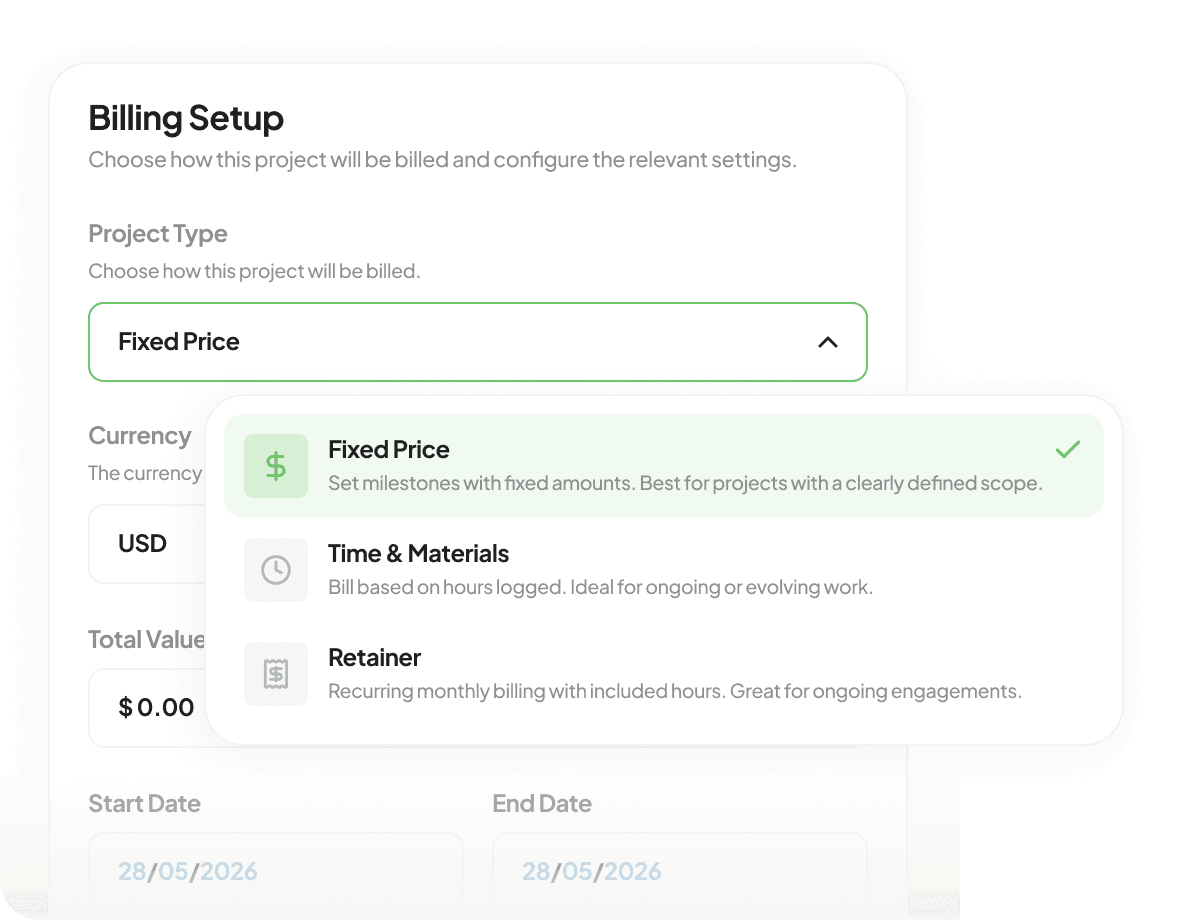
Set it up once. Invoices arrive when the work does.
What’s in it for you
Less billing admin. Fewer mistakes. Numbers you can trust.
- Exporting Toggl at month end
- Re-keying every line into QuickBooks
- Forgetting to bill a client
- Finding out at month end
- Guessing which project makes money
- “Just checking in” emails
- Invoices drafted from the work
- Your books stay in Xero or QuickBooks
- Unbilled hours caught on schedule
- Alerts the day a budget slips
- Margin on every project, as you go
- Reminders that pause when they reply
Get the work onto the invoice. Every month, without the spreadsheet.
Then the numbers
Know where you stood. See where you’re heading.
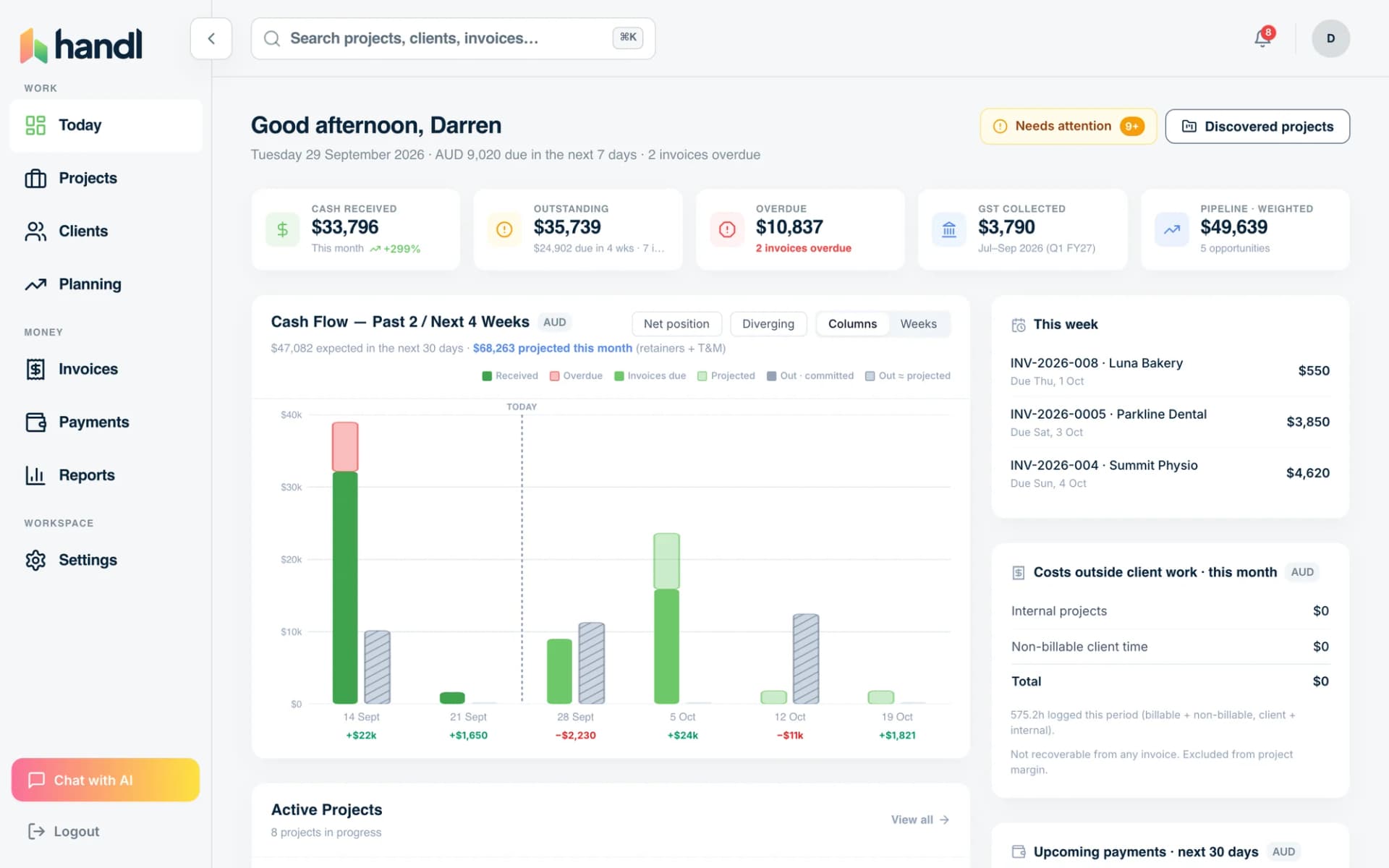
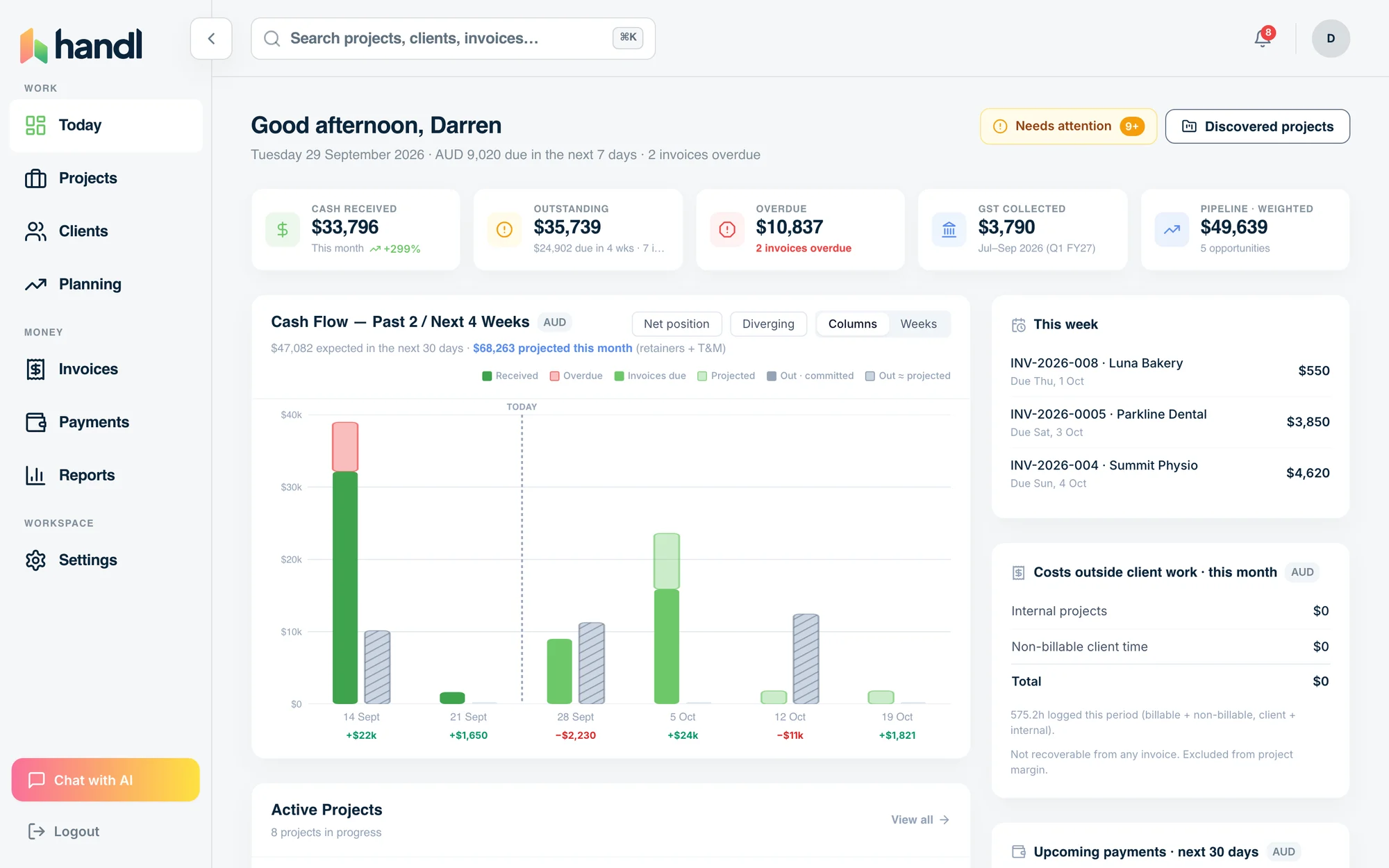
The same hours, rates, costs and invoices that built the draft now show margin per project, utilisation per person, and what’s coming in over the quarter ahead.
- Revenue, past periods
- Margin on that revenue
- Confirmed income ahead
- Weighted pipeline ahead
How it all fits together
Every project, every cycle. What you learn feeds the next one.
rates · milestones · budgets02 Work
tickets · hours · costs03 Monitor
alerts · digest · health04 Invoice
drafted · you press send05 Paid
chased · paid · matched06 Synced
Xero · QuickBooks · back and forth
Know
Know your project health at every turn of the loop.
Before
Quote the next one from real margins, rates and capacity, not a guess.
During
Budget, hours and margin watched while it runs. Alerts the day it slips.
After
Margin per project and client. Utilisation. Cash flow for the quarter ahead.

Integrations
Plugs into your agency workflow.
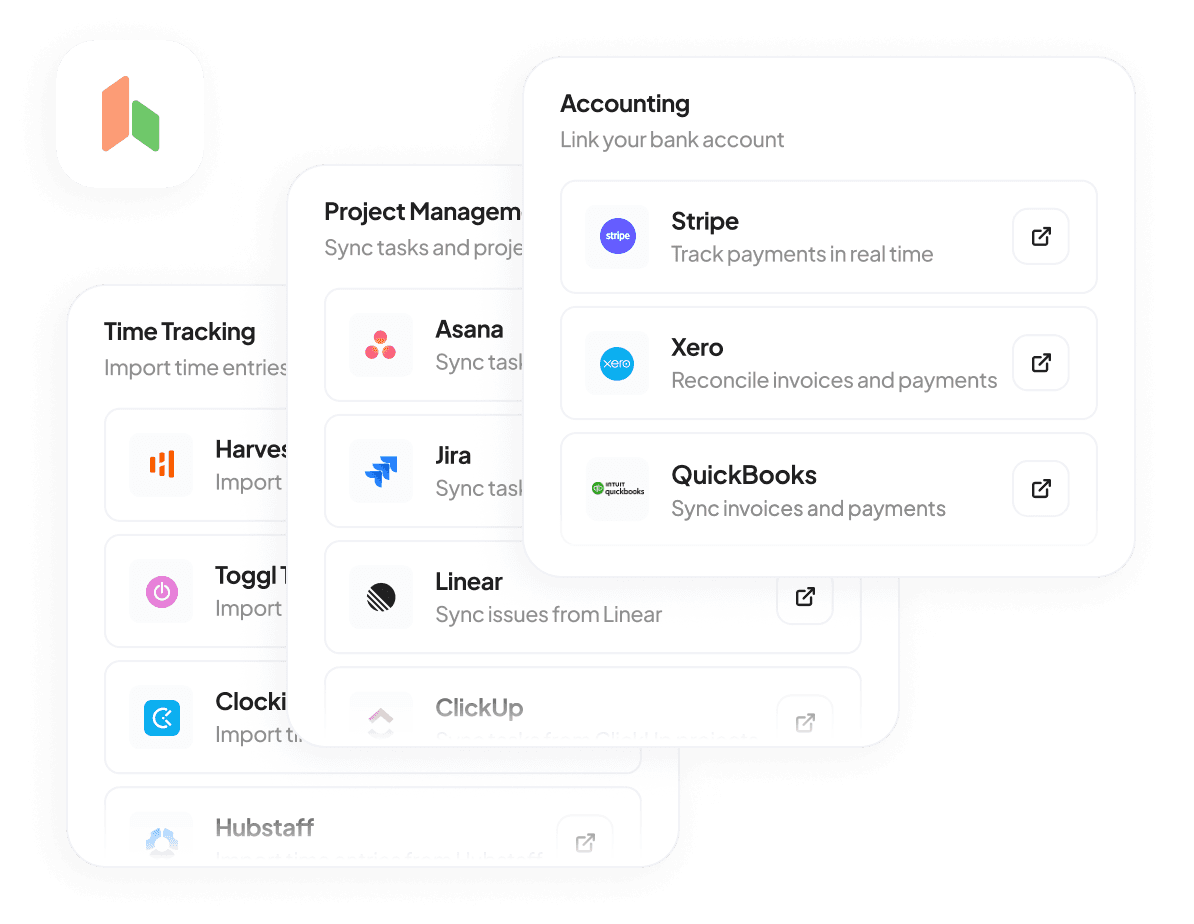
Reads from your PM and timesheet tools. Writes to Xero or QuickBooks. Handl sits in the middle and keeps it all in sync.



Word from the founder
Why Handl exists
“I ran a digital agency for 20 years. Every month end meant exporting timesheets, checking which milestones had closed, working out who was on a retainer and who was hourly, then re-keying it all into Xero. Something always slipped through unbilled. Xero and QuickBooks are great at the books, but they can’t see the work. Handl reads the work and drafts the invoice, so nothing gets missed. It’s what I wish I’d had when I was running my agency.”
Darren Clark
CEO, Handl, Dazlab Global
Pricing
Simple pricing. Starting at $29. No surprises.
Starting at
- Plans for every team size
- Unlimited clients
- PM, time and Xero/QuickBooks sync
- 7-day free trial
From $29/month + a 0.5% fee on card payments (0.25% on bank), plus Stripe’s own fees. Cancel anytime.
See what’s includedWhat is Handl?
Handl is billing software for digital agencies and freelancers that bill on milestones, hours and retainers. It reads the work from project-management and time-tracking tools, drafts each invoice when a milestone completes, a billing period ends or a retainer cycle comes round, and pushes it to Xero or QuickBooks. Clients review and pay through their own client portal.
Handl connects to Jira, Linear, Asana, Monday.com and ClickUp for project work, Toggl, Harvest, Clockify and Hubstaff for time, and Xero or QuickBooks for accounting. Payments go through the agency’s own Stripe account or by bank transfer; Handl never holds funds.
- Invoices drafted automatically from milestones, tracked hours and retainers
- Nothing sent without approval; optional auto-send for recurring invoices
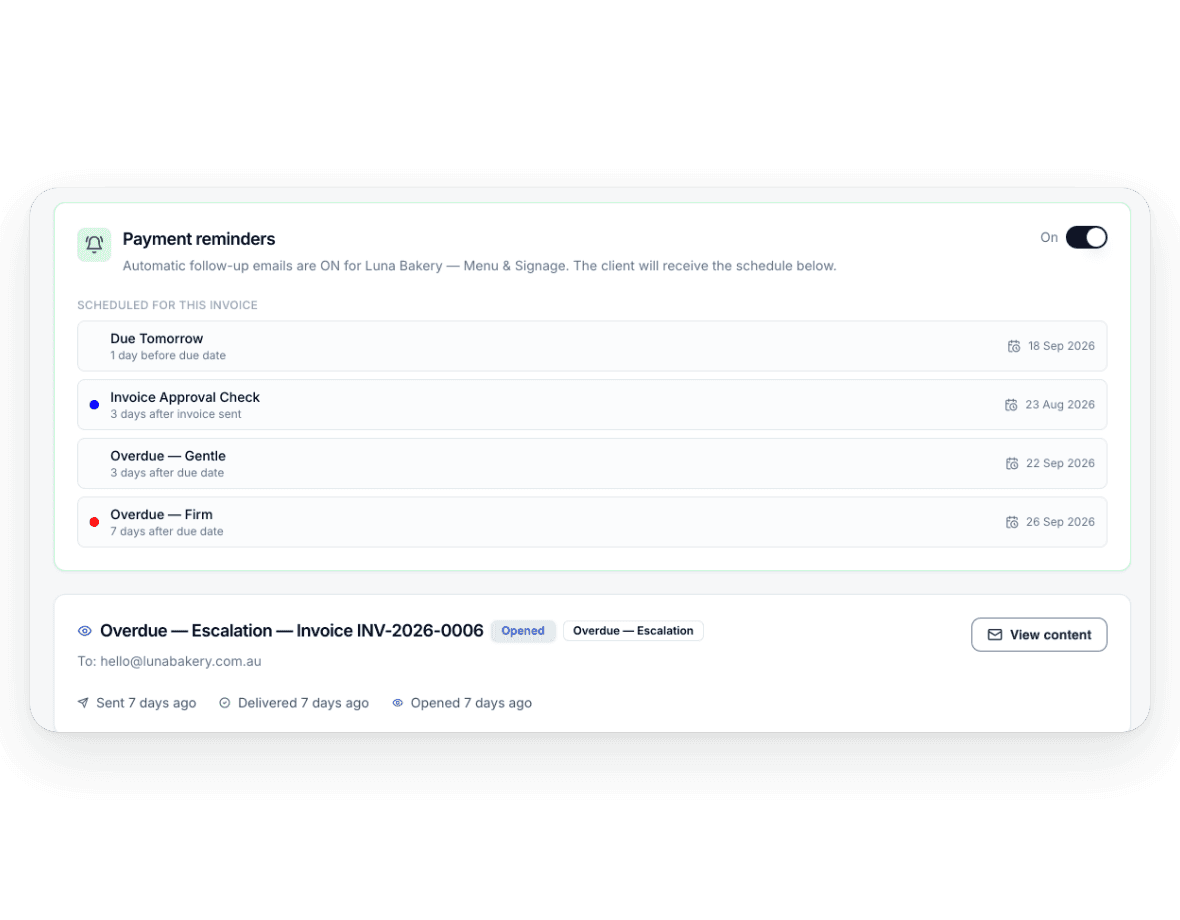
- Payment reminders that pause when the client replies
- Project margin, team utilisation and budget alerts
- Cash-flow forecast from invoices, billing plans and the sales pipeline
Questions, answered
Do I have to leave QuickBooks?
Can I still bill the way I bill?
Do I have to use Stripe?
How does Handl work?
How much does Handl cost?
What does Handl integrate with?
Do my clients need a Handl account?
Can Handl chase late payments for me?
Who is Handl for?
Can Handl hold the final files until the invoice is paid?

You press send
The work’s done. The invoice should be too.
Connect your tools once. Your next month end drafts itself.